1
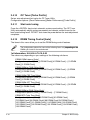
3.6.7
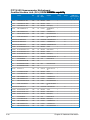
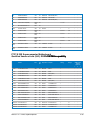
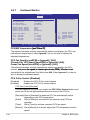
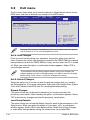
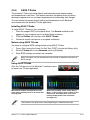
Hardware Monitor
BIOS SETUP UTILITY
Power
Hardware Monitor
CPU Temperature(PECI)
MB Temperature
[35ºC/95ºF]
[34ºC/93ºF]
CPU Fan Speed
CPU Q-Fan Control
[3590RPM]
[Disabled]
Chassis
Chassis
Chassis
Chassis
[N/A]
[N/A]
[N/A]
[Disabled]
Fan 1
Fan 2
Fan 3
Q-Fan
Speed
Speed
Speed
Control
Power Fan Speed
[N/A]
CPU Voltage
3.3V Voltage
5V Voltage
12V Voltage
[ 1.040V]
[ 3.008V]
[ 4.776V]
[11.648V]
CPU Temperature(PECI)
←→ Select Screen
↑↓ Select Item
+- Change Option
F1 General Help
F10 Save and Exit
ESC Exit
v02.61 (C)Copyright 1985-2009, American Megatrends, Inc.
CPU/MB Temperature �������������
[xxxºC/xxxºF]
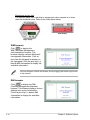
The onboard hardware monitor automatically detects and displays the CPU and
motherboard temperatures. Select Ignored if you do not wish to display the
detected temperatures.
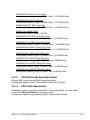
CPU Fan Speed [xxxxRPM] or [Ignored] / [N/A]
Chassis Fan 1/2/3 Speed [xxxxRPM] or [Ignored] / [N/A]
Power Fan Speed [xxxxRPM] or [Ignored] / [N/A]
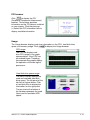
The onboard hardware monitor automatically detects and displays the CPU,
chassis, ���������������������������������������������������������������������
and power������������������������������������������������������������
fan speed in rotations per minute (RPM). If the fan is not
connected to the motherboard, the field shows N/A. Select Ignored if you do not
wish to display the detected speed.
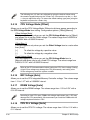
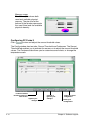
CPU Q-Fan Control [Disabled]
[Disabled]
[Enabled]
Disables the CPU Q-Fan control feature.
Enables the CPU Q-Fan control feature.
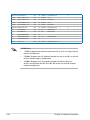
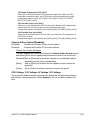
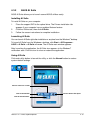
CPU Fan Profile [Standard]
This item appears only when you enable the CPU Q-Fan Control feature and
allows you to set the appropriate performance level of the CPU fan.
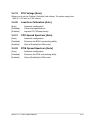
[Standard]Sets to [Standard] to make the CPU fan automatically adjust
depending on the CPU temperature.
[Silent]Sets to [Silent] to minimize the fan speed for quiet CPU fan
operation.
[Turbo] Set to [Turbo] to achieve maximum CPU fan speed.
[Manual] Set to [Manual] to manually adjust the CPU temperature and fan
speed.
3-32
Chapter 3: BIOS setup