1
Deleting a RAID set
Take caution when deleting a RAID set. You will lose all data on the hard disk
drives when you delete a RAID set.
To delete a RAID set
1.
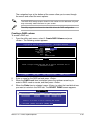
From the utility main menu, select 2. Delete RAID Volume and press
<Enter>. The following screen appears.
Intel(R) Matrix Storage Manager option ROM v8.9.0.1014 PCH-D wRAID5
Copyright(C) 2003-09 Intel Corporation. All Rights Reserved.
[ DELETE VOLUME MENU ]
Name Level Drives Capacity Status Bootable
Volume0 RAID0(Stripe) 2 298.0GB Normal Yes
[ HELP ]
Deleting a volume will reset the disks to non-RAID.
WARNING: ALL DISK DATA WILL BE DELETED.
(This does not apply to Recovery volumes)
[↑↓]-Select [ESC]-Previous Menu [DEL]-Delete Volume
2.
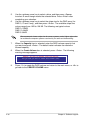
Use the up/down arrow key to select the RAID set you want to delete, and
then press <Del>. The following warning message appears.
[ DELETE VOLUME VERIFICATION ]
ALL DATA IN THE VOLUME WILL BE LOST!
(This does not apply to Recovery volumes)
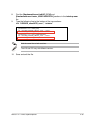
Are you sure you want to delete volume “Volume0”? (Y/N):
3.
Press <Y> to delete the RAID set and return to the utility main menu, or press
<N> to return to the DELETE VOLUME menu.
Exiting the Intel® Matrix Storage Manager
To exit the utility
1.
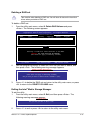
From the utility main menu, select 5. Exit, and then press <Enter>. The
following warning message appears.
[ CONFIRM EXIT ]
Are you sure you want to exit? (Y/N):
2.
Press <Y> to exit or press <N> to return to the utility main menu.
ASUS P7F7-E WS Supercomputer
4-31