1
SAFETY NOTICES
Safety and Regulatory Notices
Read the separate Power Connection Guide before using the computer for the
first time.
The computer uses a safety ground and must be earthed. The system unit
AC power cord is its ‘disconnect device’. Ensure that the system unit is
positioned close to the AC power outlet and that the plug is easily
accessible. The power cord packed with the computer complies with the
safety standards applicable in the country in which it is first sold. Use only
this power cord. Do not substitute a power cord from any other equipment.
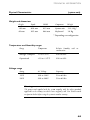
It is imperative that the system unit is set to the correct voltage range before
use. If not, the machine may be irreparably damaged.
To prevent fire and electric shock, do not expose any part of the computer
to rain or moisture.
When positioning the system unit, monitor and keyboard, take into account
any local or national regulations relating to ergonomic requirements.
Microphone, headphone and speaker cables should be less than 2 metres
long.
Replace a discharged configuration (CMOS) battery with one of the same
type. Dispose of the battery in accordance with the manufacturer's
recommended instructions. Do not attempt to recharge, disassemble or
incinerate. Keep away from children.
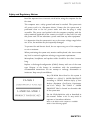
Any CD-ROM drive fitted in this system is
classified as a CLASS 1 LASER PRODUCT
according to IEC825 Radiation Safety of Laser
Products (Equipment Classification: Requirements
and User's Guide).. The CLASS 1 LASER
PRODUCT label is located on the under side
of the system unit.
Use the CD-ROM drive only as described in
this manual. Failure to do so may result in
exposure to hazardous radiation.
Refer to the labels on the computer to establish
which of the following applies.
SAFETY/1