1
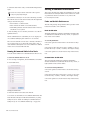
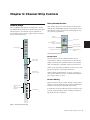
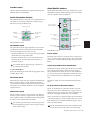
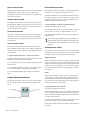
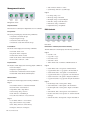
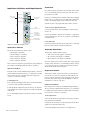
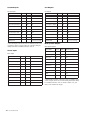
• Video Window: Window > Video
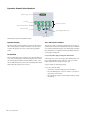
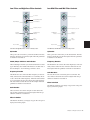
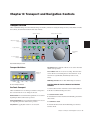
Management Controls
• System Usage: Window > System Usage
Page 3
• I/O Setup: Setup > I/O
• HW Setup: Setup > Hardware
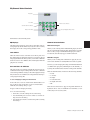
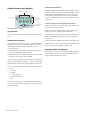
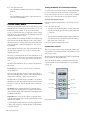
Snapshot
switch
Group
switch
Track
switch
Playlist
switch
Window
switch
• PB Engine: Setup > Playback Engine
• Disk Alloc: Setup > Disk Allocation
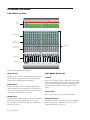
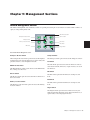
Management controls
• Preferences: Setup > Preferences
Snapshot Switch
• Peripherals: Setup > Peripherals
This function is currently not implemented for D-Command.
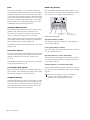
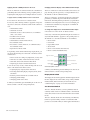
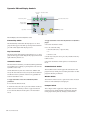
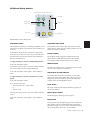
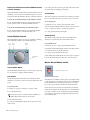
Edit Controls
Group Switch
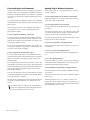
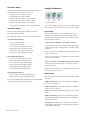
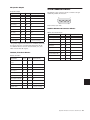
The Group switch displays the following commands:
• Create Edit: Create Edit Groups
• Suspnd: Suspend Groups
• Create Mix: Create Mix Groups
• Create Both: Create Mix and Edit Groups
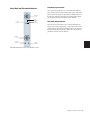
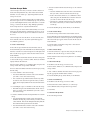
Function 1 Function 2
switch
switch
Function 3
switch
Modes
switch
Tools
switch
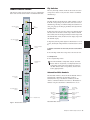
Edit controls
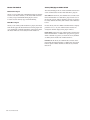
Track Switch
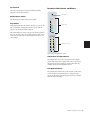
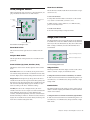
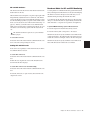
Edit Function 1 Switch (Basic Edit Commands)
The Track switch displays the following commands:
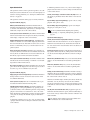
The Edit Function 1 switch displays the following commands:
• New Track: Track > New
• Dup Track: Track > Duplicate
Page 1
• Delete Selectd: Track > Delete
• Cut: Edit > Cut
• Make Act/In: Track > Make Active/Inactive
• Copy: Edit > Copy
• Bounce: File > Bounce To > Disk
• Paste: Edit > Paste
• Clear: Edit > Clear
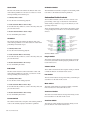
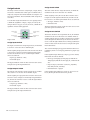
Playlist Switch
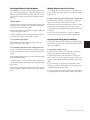
The Playlist switch displays the following playlist commands:
• TCE To TLSel: Edit > TCE Edit to Timeline Selection
Page 2
• New: New Playlist
• CutSP AllAut: Edit > Cut Special > All Automation
• Duplicate: Duplicate Playlist
• CopySP AllAut: Edit > Copy Special > All Automation
• Delete Audio: Delete Unused Audio Playlists
• CutSP PanAut: Edit > Cut Special > Pan Automation
• Delete MIDI: Delete Unused MIDI Playlists
• CopySP PanAut: Edit > Copy Special > Pan Automation
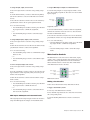
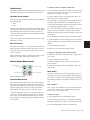
Window Switch
• CutSP PI Aut: Edit > Cut Special > Plug-in Automation
• CopySP PI Aut: Edit > Copy Special > Plug-in Automation
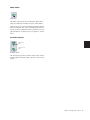
The Window switch displays the following commands:
Page 3
Page 1
• PsteSP Merge: Edit > Paste Special > Merge
• Auto Enabls: Window > Automation Enable
• ClrSP AllAut: Edit > Clear Special > All Automation
• Beat Det: Event > Beat Detective
• Strip Silence: Edit > Strip Silence
• PsteSP RepFil: Edit > Paste Special > Repeat to Fill Selection
• Session Setup: Setup > Session
• ClrSP PanAut: Edit > Clear Special > Pan Automation
• Tasks: Window > Task Manager
• PsteSP ToCurr: Edit > Paste Special > To Current Automation Type
• Projct Browser: Window > Project Browser
Page 2
• Color Pallet: Window > Color Palette
• Big Countr: Window > Big Counter
• Undo Histry: Window > Undo History
• Disk Space: Window > Disk Space
72 D-Command Guide
• ClrSP PI Aut: Edit > Clear Special > Plug-in Automation