1
Administration Console Home
Licensed Customer Confidential
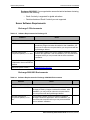
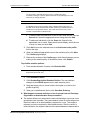
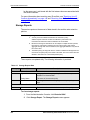
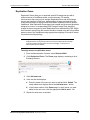
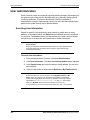
Readiness Checks
TIP
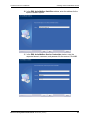
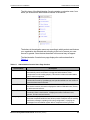
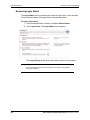
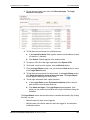
Readiness Check Information Display
If all entries in the readiness checklist are positive, the list automatically
collapses. However, if any element requires attention, it automatically expands.
Click Show to expand the list or Hide to collapse the list.
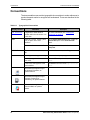
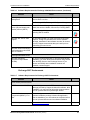
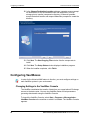
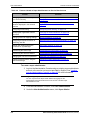
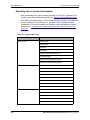
Email Security Services readiness tests monitor the system at all times. When any
of the readiness checks marked with an asterisk (*) fails, an email is automatically
sent to all email addresses listed in the fault notifications list. (See "Managing
Fault Alerts" on page 140 for information on fault notifications.) Readiness checks
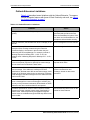
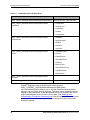
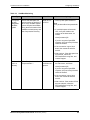
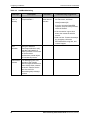
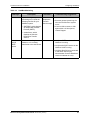
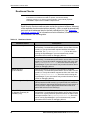
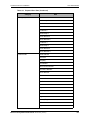
are described in the following table.
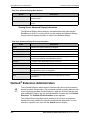
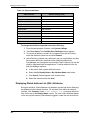
Table 4-2
Readiness Checks
Readiness Check
Descriptions
*Default contacts synchronization
Reports the last time a Contacts synchronization completed
successfully. If a scheduled synchronization is more than 12 hours
overdue, or if a synchronization reported as failed, this status
check fails. The SyncManagerService.log file on the server
running the SyncManager in your environment may contain
information that is useful for debugging failures.
*Default calendar synchronization
Reports the last time a Calendar synchronization completed
successfully. If a scheduled synchronization is more than 12 hours
overdue, or if a synchronization reported as failed, this check fails.
The SyncManagerService.log file on the server running the
SyncManager in your environment may contain information that is
useful for debugging failures.
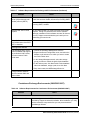
*Default directory
synchronizations
Reports the last time a Directory synchronization completed
successfully. If a scheduled synchronization is more than 12 hours
overdue, or if a synchronization reported as failed, this check fails.
The SyncManagerService.log file on the server running the
SyncManager in your environment may contain information that is
useful for debugging failures.
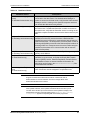
*MX Record (per domain)
If you have chosen to have Email Continuity mail transfer agents
(MTAs) listed as an MX record in your public DNS, this readiness
check verifies the appropriate DNS entries exist for each domain. If
this check fails, verify the appropriate DNS entries exist on all
public DNS servers for the domain(s).
Default RIM Synchronization
(for Wireless Continuity for
BlackBerry only)
Reports the last time a RIM synchronization completed
successfully. If a scheduled synchronization is more than 12 hours
overdue or if a synchronization reported as failed, the status check
will report as failed. The SyncManagerService.log file on the
server running SyncManager in your environment may contain
information that is useful for debugging failures.
96
Email Continuity Administrator Guide version 6.5 (1st ed.)