1
TECHNICAL REFERENCE IPAirEdit 6.10 Remote Installer
7.5.
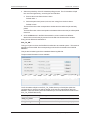
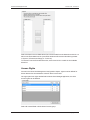
LAN and WAN Configuration
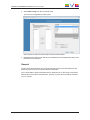
XT IP Addresses
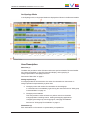
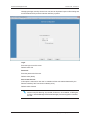
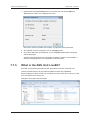
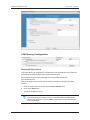
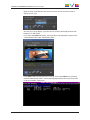
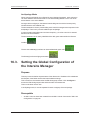
This box shows the Serial Number, Net number, Name, IP addresses, Ports, Login and
Password of the server managed by the SynchroDB services inside the workgroup.
These values are auto-obtained and cannot be edited and are used for the XML processes
(Send to / Export) when sending via the Gigabit Ethernet mechanism.
The SynchroDB and IPD-Routing services must be started to visualize the list. It may
take some time for this list to appear once the services are started.
Warning
The server Gigabit feature allows exporting and sending clips through a TCP/IP
network. Your server must be upgraded with a GBX module on the H3X (or
HCTX) card. Please contact EVS for more information.
Note
The Gigabit Ethernet settings are set inside the Multicam Configuration, Tab
Network (SHIFT+F2, Tab 3 Network) while the application is running and
pressing F8 on a line in the EVS Menu.
Please refer to the Server Software Technical reference manual.
7. Configuring the Workgroup/Island Parameters
41