1
Andrea Maioli – Instant Developer: User's Guide
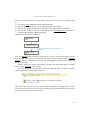
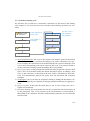
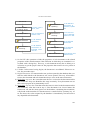
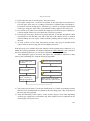
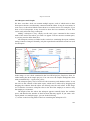
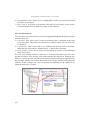
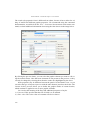
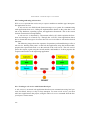
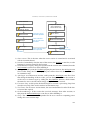
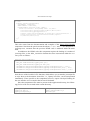
7) The server then initiates retrieval of all changes that must be sent to the client. They
may include changes that occurred on the server based on synchronization by other
clients and on server operations themselves, as well as all the cases listed in the
previous point. These changes and the list of errors is sent as a response to the client, which processes them as outlined below.
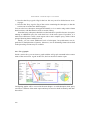
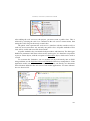
The client-side synchronization step resulting from the response received from the
server is substantially identical to that occurring on the server side, except that the value 11 is used as the Reason parameter of the OnValidate event. After the changes received from the server have been applied, the user interface is updated, showing any
errors reported by the server, and when finished, the contents of the client-side
ZZ_SYNC table are deleted.
Note: the synchronization framework never deletes the contents of the server-side
ZZ_SYNC table since it is necessary to synchronize additional clients that will be connecting after unknown intervals of time. We recommended, however, preparing an application function that allows deleting the oldest data, for example, older than one
month, or the maximum time interval after which the client can no longer synchronize
differentially.
5.11.4 Remote queries and re-synchronization
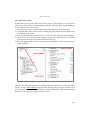
In the previous sections, we have assumed that databases have initially been in an
aligned status. But when a client connects for the first time, or if synchronization occurs
after a very long time interval, how can you ensure a complete synchronization of documents? There are three solutions to address this problem.
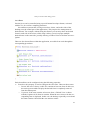
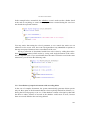
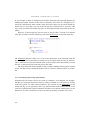
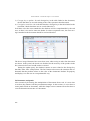
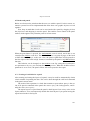
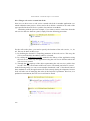
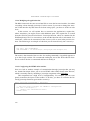
The first re-synchronization mechanism occurs when the server notices that the client has never synchronized, or has lost its differential synchronization records after not
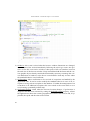
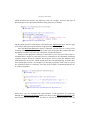
having connected in a long time. In this case, the OnResyncClient event is raised to
each document for which the synchronization service has been enabled. The document
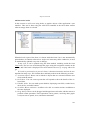
can set the search criteria that will be used to load the collection of documents to be
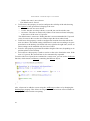
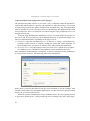
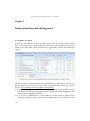
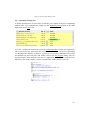
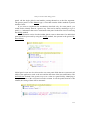
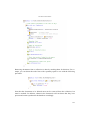
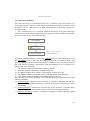
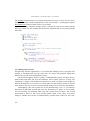
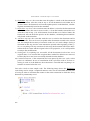
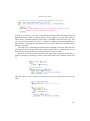
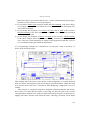
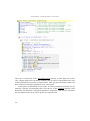
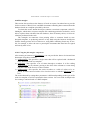
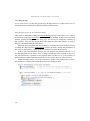
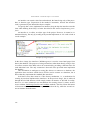
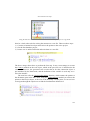
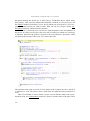
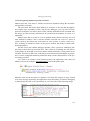
sent to the client, or directly load to it the desired collection. Let's look at an example of
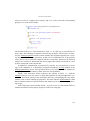
such an operation in the order management application mentioned above.
254