1
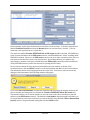
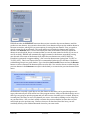
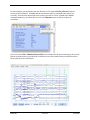
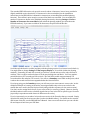
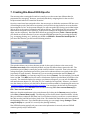
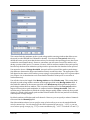
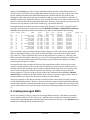
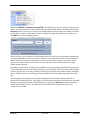
Now that we’ve detected the trials that we want to exclude in the uncorrected EEG data, we need to save the current EventList to a text file so that we can import it back into our ICA-‐corrected dataset. To do this, select ERPLAB > EventList > Export EEG EventList to text file. Enter EventList_blinkdetection.txt as the filename and click Save. If you open this text file in your favorite text editor, you can scroll down to the event numbered 135 (this was event #135 prior to epoching, but it was event #68 after epoching because the response events were not assigned to bins and did not generate epochs). As you can see, this was one of the events we detected. Both the 1st and 8th flags are present (Remember the 1st is always flagged when an artifact is detected for that bin. We chose also to label the artifacts detected by this step with the 8th flag). #item # 132 133 134 135 136 bepoch ecode 0 67 0 68 0 label 9 22 9 22 9 Corr_Resp Frequent_Digit Corr_Resp Frequent_Digit Corr_Resp onset diff dura (sec) (sec) (msec) 100.2040 594.00 100.9160 712.00 101.7040 788.00 102.3420 638.00 103.2960 953.99 b_flags a_flags enable (binary) (binary) 0.0 00000000 00000000 1 0.0 00000000 00000000 1 0.0 00000000 00000000 1 0.0 00000000 10000001 1 0.0 00000000 00000000 1 The final step is to import this EventList into the ICA-‐corrected dataset so that we can be sure to exclude the trials in which blinks occurred during the stimulus when we create ERPs from this dataset. To do this, select File > Load existing dataset and open the file S1_EEG_icapruned (or simply select It from the Datasets menu if it is still there). Next, select ERPLAB > EventList > Import EEG EventList from text file. Choose the EventList that we just exported, EventList_blinkdetection.txt. A warning window will appear, asking you to confirm that you would like to replace the EEG.EVENTLIST field with this file. Select Yes. Finally, we will need to select ERPLAB > Extract Bin-based Epochs as we did previously (epoch from -‐200 to 800 ms, with a pre-‐trial baseline). You could then average the data using ERPLAB > Compute Averaged ERPs. However, some other artifacts may remain in the data (e.g., movement artifacts). Thus, before averaging we will rerun the same artifact detection procedures done in the section on artifact detection. Please look back to remind your self of these parameters and run both the Moving Window Peak-‐to-‐Peak Threshold and Step-‐like artifact detection procedures. When the Moving Window procedure was applied to the unrejected data in the original example of artifact detection, it detected artifacts in 29.7% of epochs. Now only 10% are marked, because the blinks have been eliminated by the artifact correction process. Those epochs in which a blink occurred near to the target stimulus will also be marked as artifacts, thanks to the fact that we imported the EventList already containing these as flagged. From here, one can proceed as before and compute average ERPs for those trials without artifacts. ERPLAB 55 of 55 Tutorial bin [ [ [ [ [ ] 1] ] 1] ]