1
MacroView Navigator Manual
6 Group Application
6.1 Overview
The group application is the work horse of process control systems. It emulates a set of up
to 8 classical control faceplates on a single page of graphics. The advantages of the group
display include:
•Quick configuration of a group. (The engineer only has to specify the entity names
required in the group)
•Familiar and consistent layout of presentation. (Operators quickly learn the layout
of, for example, a PID controller.)
•Ability to display a large amount of dynamic live information in a concise form. Note
that:
•The Group Application runs within the Navigator framework and complies with the
standard Navigator Application interfacing requirements.
•The Group Application consists of pages of pre-configured multi-template graphics that
display MacroView real-time information.
•The configuration of the Group application is provided within the application itself.
This chapter describes:
(i)
(ii)
(iii)
(iv)
the application and it’s structure.
how to use the application.
how to configure the application.
the engineering details that an engineer would need to effectively maintain the
application.
Purpose
The purpose of the Group Application is to:
(i)
show pages of up to 8 faceplates of MacroView data (a faceplate is a graphical
template of an entity).
(ii)
provide a set of tools that enable a user to easily modify the groups.
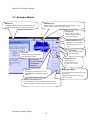
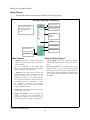
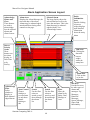
Main Screen
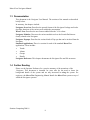
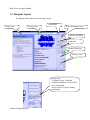
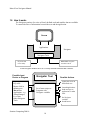
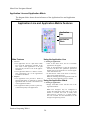
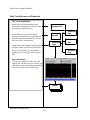
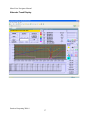
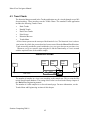
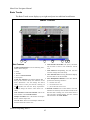
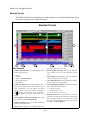
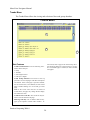
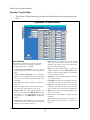
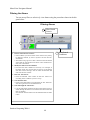
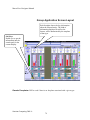
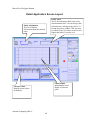
The diagram labelled “Group Application Screen Layout” on the next page shows the
main presentation features of the group Application. Essentially, the application shows
up
to 8 faceplates of information on a single page.
Sentient Computing 2006 ©
78