1
Appendix A – Output File Naming
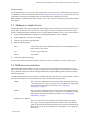
Using text and tags you can automatically generate an output file name from the job name, job details (such as
colorant information and resolution), or date and time information. The tags are entered in the File Template
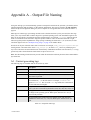
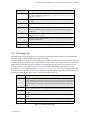
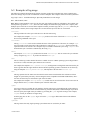
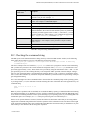
field in the Epson Configuration dialog box, and a complete list of supported tabs can be found in Table A.1,
page 24.
Most tags are content tags, representing variables such as the date and time a job is processed; the other tags
allow you to reject names that would be illegal in a specified operating system. The maximum length of variables can be specified by preceding the tag name with an integer. For example, <5jobname> truncates the job
name to a maximum of five characters. Tags that produce numeric values are truncated from left to right,
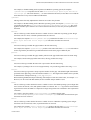
whereas tags that produce alphanumeric strings (strings containing the characters a-z, A-Z, and 0-9) are truncated from right to left. See “Examples of tag usage”, on page 26 for further details.
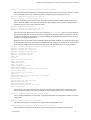
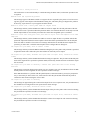
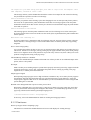
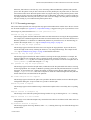
Fixed text can be part of the file name stem or extension. For example, stem_<3unique><sepname><dot>epf
would generate a file name of the form: stem_000Cyan.epf, in which stem_ can be any identifying text.
Try to use a file name extension that does not clash with any established convention. The extension epf is a suggestion only and is formed from the initial letters of Epson Printer File.
Note: This file naming scheme does not provide useful file names derived from job names that contain doublebyte characters.
A.1 Content generating tags
The following tags are available and can be used in any order
:
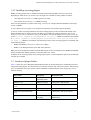
Tag
Description
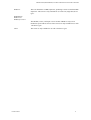
<colorant>
The color space of the device, such as PhotoInk.
<colorname>
The name of the separation, such as Cyan.
<date>
The date when the job is processed, in the format YYYYMMDD, unless a truncated form is specified.
<dot>
Separates the stem of the file name from the file extension, and appears as a
period character ( . ) in the file name. For example, stem<dot>ext
appears as stem.ext. The use of the <dot> tag enables the verification of
the stem and extension lengths.
<job#>
The job number allocated by the RIP. Automatic numbering means that successive jobs have incremented job numbers: 000, 001, 002, 003, and so on.
<jobname>
The page buffer name without the page number prefix and without characters illegal to the operating system. White space characters are used, if
present in the job name.
<jobname1>
The page buffer name without the page number prefix, and using only
alphanumeric characters (a-z, A-Z, 0-9). White space characters are not
used.
Table A.1 Output file name tags
AG50567 REV. 5
24