1
Getting ready to configure
DSLPipe/CellPipe Quick Setup
Connecting serial cable and setting up communications software
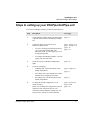
To establish a serial connection, proceed as follows:
1
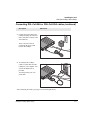
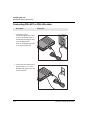
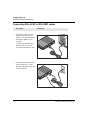
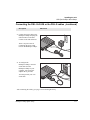
Use a serial cable to connect your computer’s serial (or modem) port to the
terminal port on the back of the DSLPipe/CellPipe.
2
Use a communications program (such as HyperTerm, PROCOMM PLUS, Zterm,
or any other program that supports VT100 terminal emulation) to open a session
directly with the port to which the DSLPipe/CellPipe is connected. Since the
DSLPipe/CellPipe connects directly to DSL equipment in the telephone
company’s central office, you do not need to dial a telephone number.
3
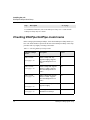
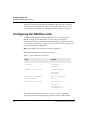
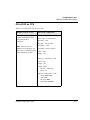
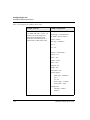
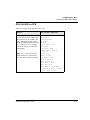
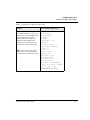
Set your communications software to connect with the following settings:
Note: If you are not already familiar with the settings listed, see the
documentation for your communications software. If you’re using the software
for the first time, going through an online or printed tutorial (if the software
includes one) is a good way to get started.
2-2
–
Direct connection: Tell the software that there is a serial cable connecting
the DSLPipe/CellPipe directly to the computer.
–
Serial port: Specify which of the computer’s serial ports the software uses.
If the only serial port available is currently used by an internal modem, you
may need to use your computer’s setup software to specify an external
connector for the port that will be used in place of the internal modem. In
some cases, you also may need to remove the modem. See the manual for the
modem and your computer’s user manual for details.
–
Flow control: Turn off software flow control (XON/XOFF) and, if possible,
hardware flow control (RTS/CTS). Specify None.
–
Terminal type: Specify VT100.
–
Duplex: If the software lets you choose, specify Full. Because this is by far
the most common choice, most communications software sets this by
default.
–
Bits per second: Specify 9600
–
Data bits: Specify 8.
–
Stop bits: Specify 1.
–
Parity: Specify None.
DSLPipe/CellPipe Quick Setup