1
Device Initialization User Manual
Using The Tool
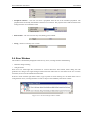
• CPU Interrupts - configuration of the interrupts related to the CPU core.
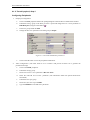
Modifying Beans Settings
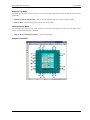
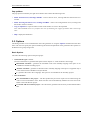
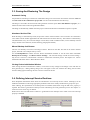
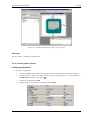
Parameters of existing beans can be configured via the Inspector dialog which can be opened using the Device
Initialization window by clicking on the bean's icon.
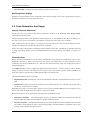
3.2. Code Generation And Usage
Starting The Code Generation
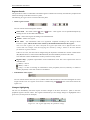
Use the Generate Code button in the Device Initialization window or the Generate Code {design name}
command from the main menu.
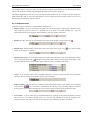
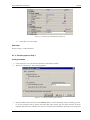
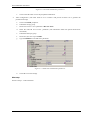
The Options dialog with the code generation options appears (if it is not disabled by the 'Show this dialog every
time before code generation' check-box). See chapter 3.2 Code Generation And Usage for details.
After confirming the Options dialog by pressing the Generate button, the source code initializing the CPU
registers according to the specified bean parameters is generated.
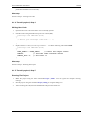
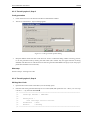
After a successful code generation, the dialog window appears with a basic information on generated code and
its usage. This dialog window can be enabled/disabled within the Options dialog. See chapter 2.5 Options for
details.
Generated Code
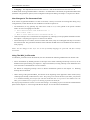
During the Code Generation process the Device Initialization tool generates the initialization code for CPU
peripherals allocated by beans. The generated code reflects the configuration of beans' parameters and is
contained in the function named MCU_init. The user shall call this function at the start of application code to
initialize peripherals.
On ColdFireV1 MCUs, there is additionally generated a function named __initialize_hardware which contains
settings of the clock source and settings of core registers and system control registers (SOPTx, SPMSCx, all
write-once registers). This function is called from the after-reset startup code.
The generated module consists of two files:
• Implementation file containing the code of the initialization function(s) and optionally the interrupt vectors
table.
• Interface file containing the declarations which can be referenced by the user. This file is generated only if
the files are stored to a disc (see below).
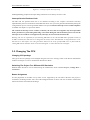
Depending on the After generation option, the files can be stored to a disk and added to the current project or just
shown in the editor as untitled files. See chapter 2.5 Options for details.
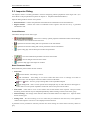
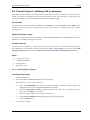
Device Initialization tool can generate the following types of initialization code:
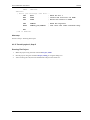
• Relocatable Assembler - The implementation file has the extension .asm and the interface file has the
extension .inc. This option is not available for absolute assembly projects.
• Absolute Assembler - The implementation file has the extension .inc and must be included at the end of the
user module, where address for code is selected (using ORG). Absolute assembler is supported only if it was
selected in the CodeWarrior Project Wizard.
- 18 -