1
Device Initialization User Manual
Introduction
1. Introduction
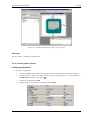
Device Initialization is a fast, easy and user-friendly way to configure and generate a CPU peripheral
initialization code.
1.1. Features And Benefits
The Device Initialization features
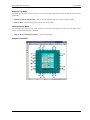
• Graphical user interface with CPU package, peripherals and pins
• User-friendly access to initialization setup of CPU peripherals
• Initialization code generator
• User can select Assembly or C format for generated code
• Built-in detailed design specifications of Freescale CPUs
• Initialization options are automatically transformed into peripheral control registers values
• Easy way to view control register values resulting from the parameter settings. Changes are immediately
highlighted.
• Changes in peripheral control registers values are transformed backwards into bean parameters.
The key benefits of the Device Initialization tool
• Easy to learn design environment
• User friendly names of the peripheral features - no need to explore manuals for control register details.
• Easy changes in initialization
• Possibility to reuse the individual peripheral setup for other designs
• No need to generate code to see the resulting peripheral control registers values.
1.2. Basic Terms And Definitions
Bean - Peripheral Initialization bean - is a component that encapsulates initialization of a peripheral. A bean can
be configured using the Inspector. See chapter 3.1 Peripheral Initialization Beans for details.
CPU bean - the bean configuring the CPU core parameters. It cannot be removed from the project.
Design - all beans (the CPU bean and the Peripheral Initialization beans) with their customized parameters.
Inspector - window that allow to view and configure parameters of the selected bean.
Internal peripherals - internal peripherals of the CPU (ports, timers, A/D converters, etc. usually controlled by
the CPU core using special registers).
ISR - Interrupt Service Routine - code which is called when an interrupt occurs.
Module - source code module. Could be generated by the tool or created by the user and included in the project
(user module).
Peripheral settings - initialization parameters for an individual peripheral. These settings can be saved and
restored from the file.
Popup menu - this menu is displayed when the right mouse button is pressed on some graphical object.
-3-