1
Device Initialization User Manual
User Interface
2. User Interface
Menu
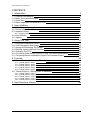
Device Initialization menu is integrated into the CodeWarrior IDE menu. See chapter 2.1 Main Menu for details.
Windows And Dialogs
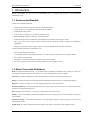
The user interface of Device Initialization consists of the following windows (integrated in CodeWarrior IDE):
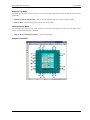
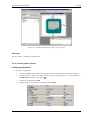
• Device Initialization - the main window graphically showing CPU package, structure and beans connected
to internal peripherals. It allows easily to add beans related to a specific peripheral to the design. See chapter
2.2 Device Initialization Window for details.
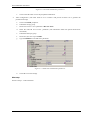
• Inspector - a window which allows user to setup peripheral initialization beans parameters. See chapter 2.3
Inspector Dialog for details.
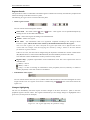
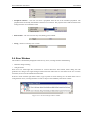
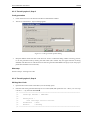
• Error window - a window with errors, warning messages and hints from design checking and code
generation. See chapter 2.4 Error Window for details.
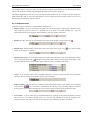
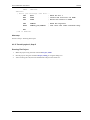
• Options - design and code generation related settings dialog. See chapter 2.5 Options for details.
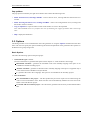
2.1. Main Menu
Device Initialization menu is integrated in the CodeWarrior IDE main menu.
The menu contains the following commands:
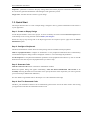
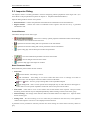
• Initialize Device - creates a new design for the currently opened CodeWarrior project or opens an existing
one if it already exists on the disk. If the design is already opened, only the Device Initialization window is
activated. See chapter 2.2 Device Initialization Window for details.
• Backup Device Settings... - invokes a file selection dialog and if the user confirms the selection, it saves all
design settings using the selected file name. See chapter 3.3 Saving And Restoring The Design for details.
• Restore Device Settings... - invokes a file selection dialog and if the user confirms the selection, it loads all
design settings from the selected file name. See chapter 3.3 Saving And Restoring The Design for details.
• Update PE from Package... - allows to install a patch or update from the .PEUpd file.
• Options - invokes the Options dialog with the design-related settings with the values default for next code
generations. See chapter 2.5 Options for details.
• Generate Code {designname}.mcp - starts the initialization code generation process. See chapter 3.2 Code
Generation And Usage for details.
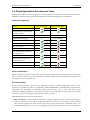
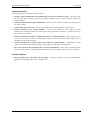
• View Report
Design Settings - generates a new document containing XML data with parameters and values of all
beans in the design.
Register Settings - generates a new document containing XML data with all registers (and their values)
that will be set within generated code.
Interrupt Usage - generates a new document containing XML data with all interrupts allocation by ISR
routines.
Pin Usage - generates a new document containing XML data of all pins allocated by the device
initialization design.
-7-