1
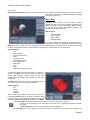
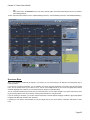
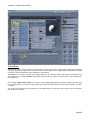
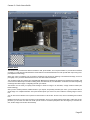
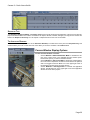
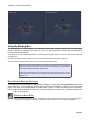
Carrara 8 – Basic Users Guide GETTING RESULTS WITH VET Light Maps In the VET technology, lighting is simulated using a texture called light maps. Carrara automatically generates light maps that match the lighting of your scene. You can also override the light maps used for a given object. To get good results, it is necessary to understand how light maps are built. Light maps can also allow you to simulate reflec tions (environment mapping). How to create good light maps: • • • • We recommend that you only use distant lights in your scenes because lights maps only simulate distant lights. How ever, Carrara will also convert your other lights into light maps but the results may not be what you expect. Objects that have the same shader or similar shading properties will use the same light maps. The properties that in fluence the light maps are the following: shininess, highlight and reflection. To save memory, avoid using too many different shaders. Light maps will include a reflection of the background for objects where the reflection is not set to 0. You will need to set a background on your scene so as to have reflections on your objects. Setting your own light maps: • • A light map is basically a 256 by 256 texture map. If you apply a texture map to the reflection channel of a shader, this texture will be used as a light map. You can create new light maps easily with Carrara. You just need to render a sphere in 256x256 so that the edges of the sphere touch the edges of the image. Adding lights, a background, back drops and changing the shader of the sphere will all affect the properties of the light map. It is very important that the texture is 256 by 256 pixels or it will not work. Maps (Texture, Bump, Transparency) The texture maps, bump maps and transparency maps that you may assign to shaders in Carrara will be exported. There is nevertheless a few constrains to respect in order to make them correctly. If you want to export a transparency map, the shader must also contain a texture map of the same dimensions. If the dimen sions of the transparency map are different from the texture map ones, the transparency map will be ignored and the transpar ency of the material set to the first value encountered on the map. A bump map can be exported with or without the existence of a texture map, but if there is one, its dimensions should be identical to the bump map's. A texture map can be a traditional picture but it can also be a flash movie file (SWF files). However, flash movies cannot be displayed inside Carrara. The shader will appear to be white in Carrara but the flash movie will be visible in the preview or after exporting the VET file. Backdrop The backdrop of a Carrara scene will also be exported. As for the texture maps, it is possible to assign a flash movie to the backdrop. The flash movie won't be visible inside Carrara but it will be in the preview or in the exported VET file. Animation There are some limitations to the kind of animations that can be exported. Only key-frame based animations are properly ex ported. Only the animations using object transform, the color of a light map or the deformation applied to an object with the Morpher Deformer can be exported. You can move, rotate, scale objects in your scene. Any other kind of animation will not be exported correctly. Add Interactivity to Your Scene Carrara gives you the possibility to add interactivity to your scene for the VET export. You can define interactions such as trig gering an animation when clicking on an object or displaying two dimensional text when the cursor slides over an invisible hot spot. Two objects in Carrara can help you to define such interactions: the VET Animator object and the VET Interactor. Page 143