1
CHAPTER 9. STRINGS AND FILE I/O
182
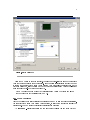
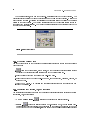
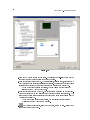
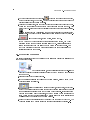
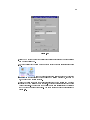
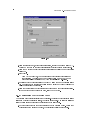
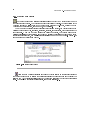
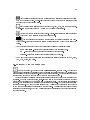
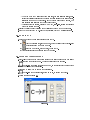
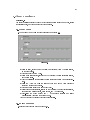
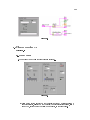
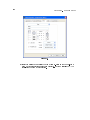
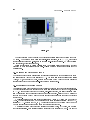
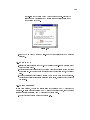
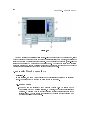
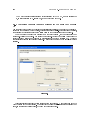
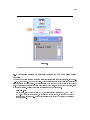
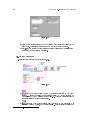
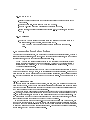
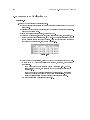
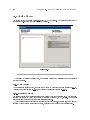
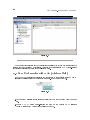
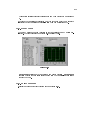
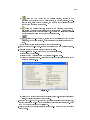
need to be formatted. You can leave them in the default state.
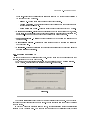
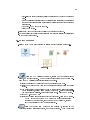
iii.Click the OK button to close the conguration dialog box.
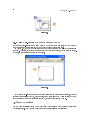
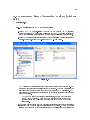
iv.Right-click the Build Text Express VI and select View As Icon to conserve
block diagram space.
(d)
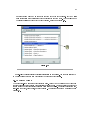
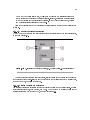
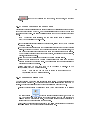
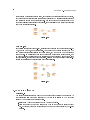
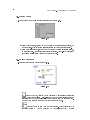
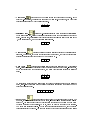
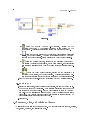
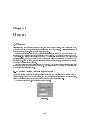
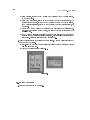
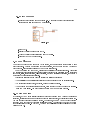
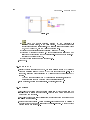
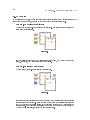
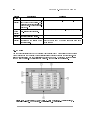
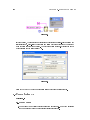
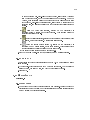
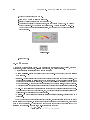
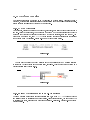
Place a Tab constant and an End of Line constant, located on the
FunctionsAll FunctionsString palette, on the block diagram.
(e)
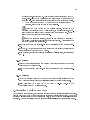
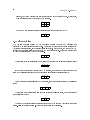
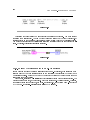
Place the Write File function, located on the FunctionsAll
FunctionsFile I/O palette, on the block diagram. This function writes to the
le specied by refnum.
(f)
Place the Close File function, located on the FunctionsAll FunctionsFile
I/O palette, on the block diagram. This function closes the le.
(g)
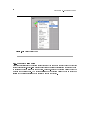
Place the Simple Error Handler VI, located on the FunctionsAll
FunctionsTime & Dialog palette, on the block diagram. This VI checks the
error cluster and displays a dialog box if an error occurs.
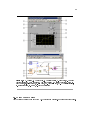
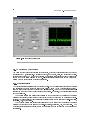
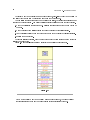
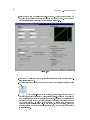
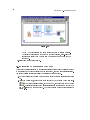
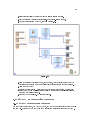
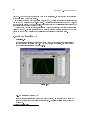
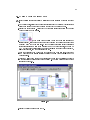
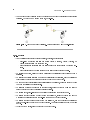
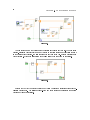
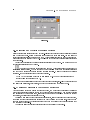
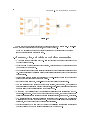
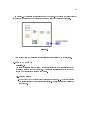
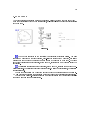
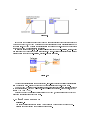
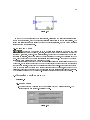
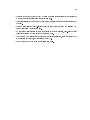
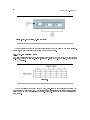
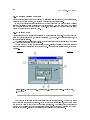
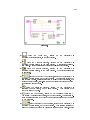
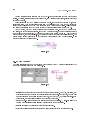
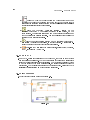
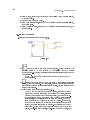
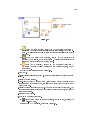
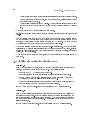
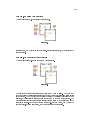
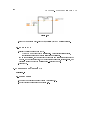
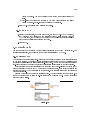
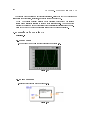
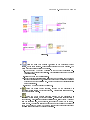
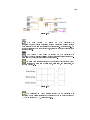
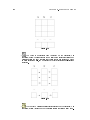
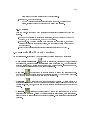
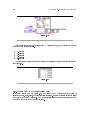
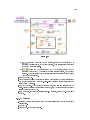
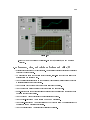
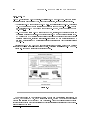
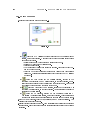
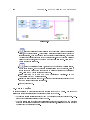
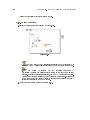
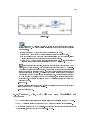
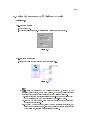
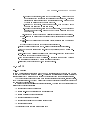
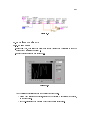
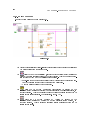
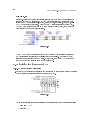
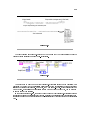
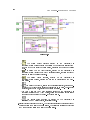
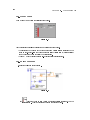
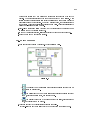
(h)Complete the block diagram as shown in Figure 9.24.
3.Save the VI. You will use this VI later in the course.
9.11.2 Run the VI
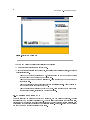
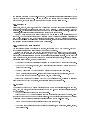
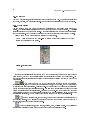
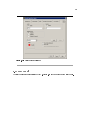
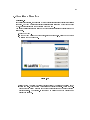
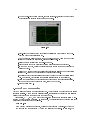
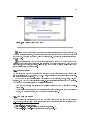
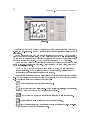
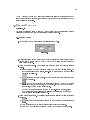
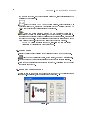
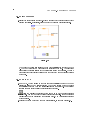
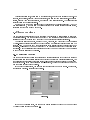
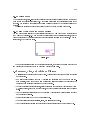
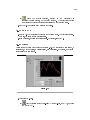
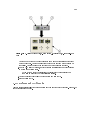
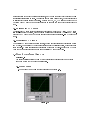
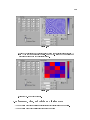
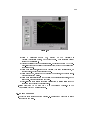
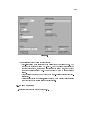
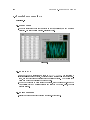
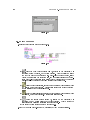
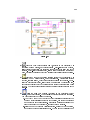
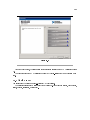
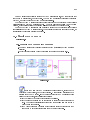
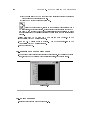
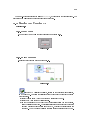
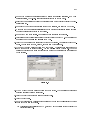
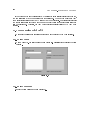
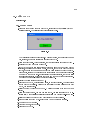
1.Display the front panel and run the VI. The Enter File Name dialog box appears.
2.Type temp.txt and click the Save or OK button. The VI creates a le called temp.txt.
The VI takes readings every half-second and saves the time and temperature data to
a le until you click the Power switch. When the VI nishes, it closes the le.
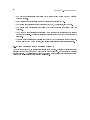
3.Open a word processor or spreadsheet application, such as (Windows ) Notepad or
WordPad, (Mac OS ) SimpleText, or (UNIX ) Text Editor.
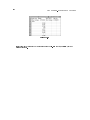
4.Open the temp.txt le in the word processing or spreadsheet application. The time
appears in the rst column, and the temperature data appears in the second column.
5.Exit the word processor or spreadsheet application and return to LabVIEW.
6.If time permits, complete the optional steps. Otherwise, close the VI.
9.11.3 Optional
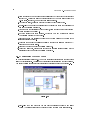
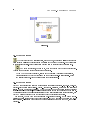
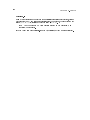
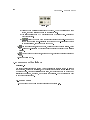
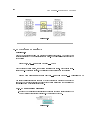
When using error handling in a VI, the While Loop should stop executing when an error
occurs. Complete the following steps to modify the VI so it stops when the user clicks the
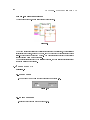
Power switch or an error occurs.
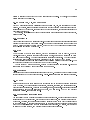
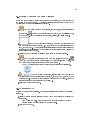
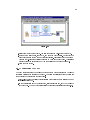
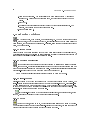
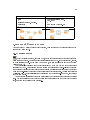
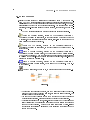
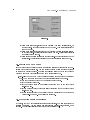
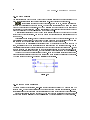
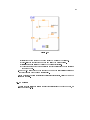
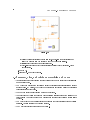
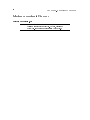
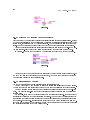
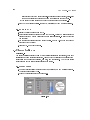
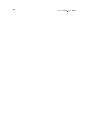
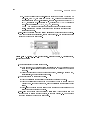
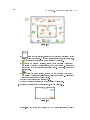
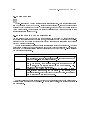
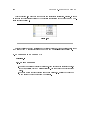
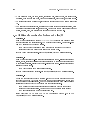
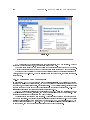
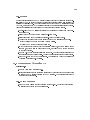
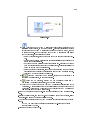
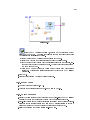
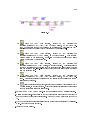
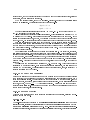
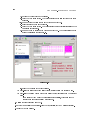
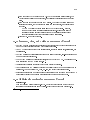
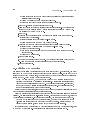
1.Edit the block diagram as shown in Figure 9.25.