1
Amazon Elastic Compute Cloud User Guide for Linux
Instances
Reserved Instances
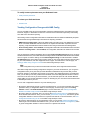
Resource
Limit
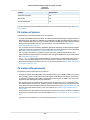
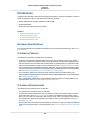
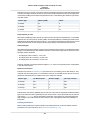
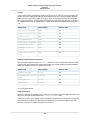
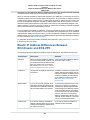
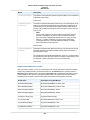
The total number of Spot instance requests
20 per region
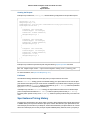
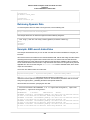
MaxSpotInstanceCountExceeded Error
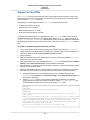
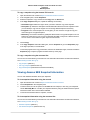
If you submit a Spot instance request and you receive the error Max spot instance count exceeded,
your account has exceeded either its overall limit for the region, or the limit for the specific instance type
for the region. To submit a limit increase request, go to AWS Support Center and complete the request
form. In the Use Case Description field, indicate that you are requesting an increase to the request limit
for Spot instances.
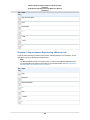
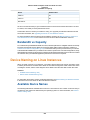
Spot Bid Price Limit
The bid price limit is designed to protect you from incurring unexpected charges.
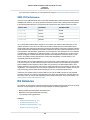
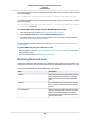
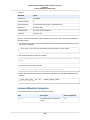
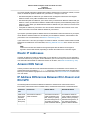
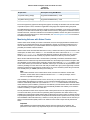
The following table lists the bid price limit for Spot instances.
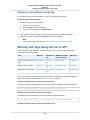
Resource
Limit
Bid price
Ten times the On-Demand price
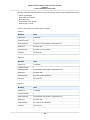
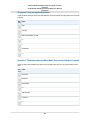
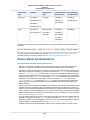
Spot Fleet Limits
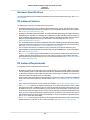
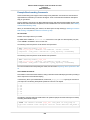
The usual Amazon EC2 limits apply to instances launched by a Spot fleet, such as Spot bid price limits,
instance limits, and volume limits. In addition, the following limits apply:
•
•
•
•
•
•
•
The number of active Spot fleets per region: 1,000
The number of launch specifications per fleet: 50
The size of the user data in a launch specification: 16 KB
The number of instances per Spot fleet: 3,000
The number of instances in all Spot fleets in a region: 3,000
A Spot fleet request can't span regions.
A Spot fleet request can't span different subnets from the same Availability Zone.
Amazon EBS Encryption Unsupported
You can specify encrypted EBS volumes in the launch specification for your Spot instances, but these
volumes are not encrypted.
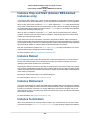
Reserved Instances
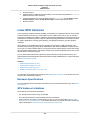
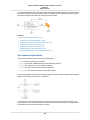
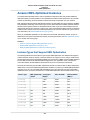
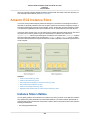
Reserved instances are a billing discount and capacity reservation that is applied to instances to lower
hourly running costs. A Reserved instance is not a physical instance. The discounted usage price is fixed
for as long as you own the Reserved instance, allowing you to predict compute costs over the term of
the reservation. If you are expecting consistent, heavy, use, Reserved instances can provide substantial
savings over owning your own hardware or running only On-Demand instances. For more information,
see Choosing a Reserved Instance Payment Option (p. 198).
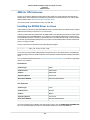
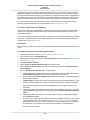
When you purchase a Reserved instance, the reservation is automatically applied to running instances
that match your specified parameters. Alternatively, you can launch an On-Demand EC2 instance with
the same configuration as the purchased reserved capacity. No Upfront and Partial Upfront Reserved
195