1
Amazon Elastic Compute Cloud User Guide for Linux
Instances
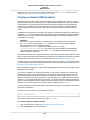
Testing Whether Enhanced Networking Is Enabled
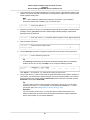
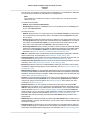
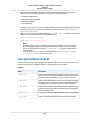
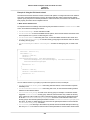
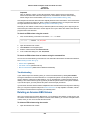
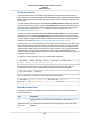
conditions, then the ethtool -i ethn command should show that the module is in use on the network
interface.
Kernel Module (ixgbevf)
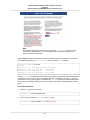
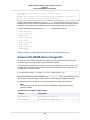
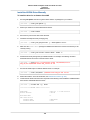
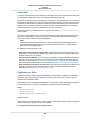
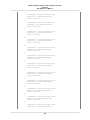
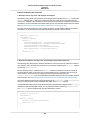
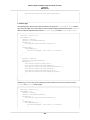
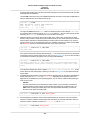
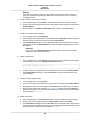
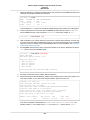
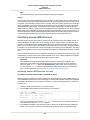
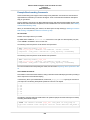
To verify that the ixgbevf module is installed and that the version is compatible with enhanced networking,
use the modinfo command as follows:
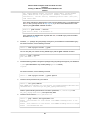
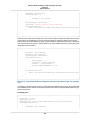
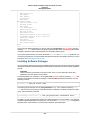
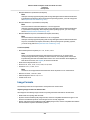
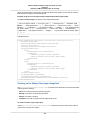
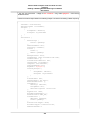
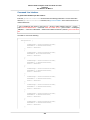
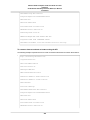
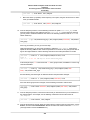
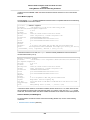
[ec2-user ~]$ modinfo ixgbevf
filename:
/lib/modules/3.10.48-55.140.amzn1.x86_64/ker
nel/drivers/amazon/ixgbevf/ixgbevf.ko
version:
2.14.2
license:
GPL
description:
Intel(R) 82599 Virtual Function Driver
author:
Intel Corporation, <[email protected]>
srcversion:
50CBF6F36B99FE70E56C95A
alias:
pci:v00008086d00001515sv*sd*bc*sc*i*
alias:
pci:v00008086d000010EDsv*sd*bc*sc*i*
depends:
intree:
Y
vermagic:
3.10.48-55.140.amzn1.x86_64 SMP mod_unload modversions
parm:
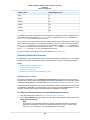
InterruptThrottleRate:Maximum interrupts per second, per vector,
(956-488281, 0=off, 1=dynamic), default 1 (array of int)
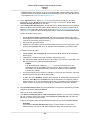
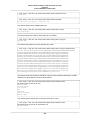
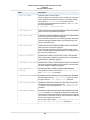
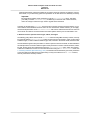
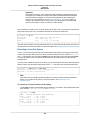
In the above Amazon Linux case, the ixgbevf module is already installed and it is at the minimum
recommended version (2.14.2).
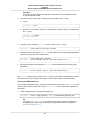
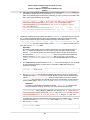
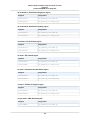
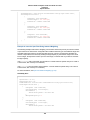
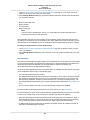
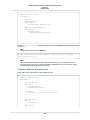
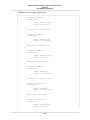
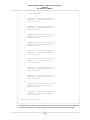
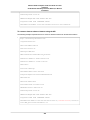
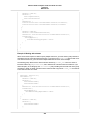
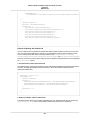
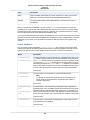
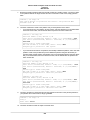
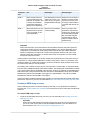
ubuntu:~$ modinfo ixgbevf
filename:
/lib/modules/3.13.0-29-generic/kernel/drivers/net/ethernet/in
tel/ixgbevf/ixgbevf.ko
version:
2.11.3-k
license:
GPL
description:
Intel(R) 82599 Virtual Function Driver
author:
Intel Corporation, <[email protected]>
srcversion:
0816EA811025C8062A9C269
alias:
pci:v00008086d00001515sv*sd*bc*sc*i*
alias:
pci:v00008086d000010EDsv*sd*bc*sc*i*
depends:
intree:
Y
vermagic:
3.13.0-29-generic SMP mod_unload modversions
signer:
Magrathea: Glacier signing key
sig_key:
66:02:CB:36:F1:31:3B:EA:01:C4:BD:A9:65:67:CF:A7:23:C9:70:D8
sig_hashalgo:
sha512
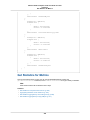
parm:
debug:Debug level (0=none,...,16=all) (int)
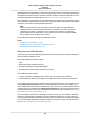
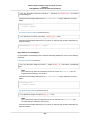
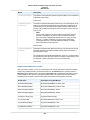
In the above Ubuntu instance, the module is installed, but the version is 2.11.3-k, which does not have
all of the latest bug fixes that the recommended version 2.14.2 does. In this case, the ixgevf module
would work, but a newer version can still be installed and loaded on the instance for the best experience.
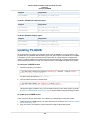
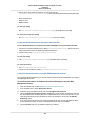
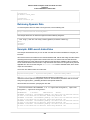
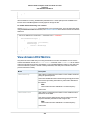
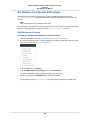
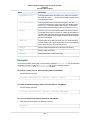
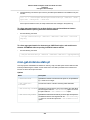
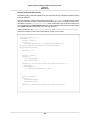
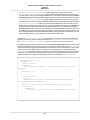
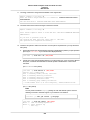
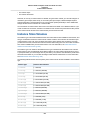
Instance Attribute (sriovNetSupport)
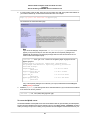
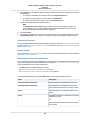
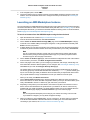
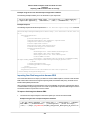
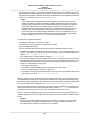
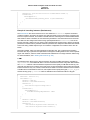
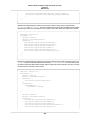
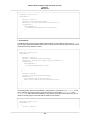
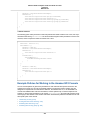
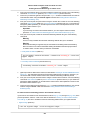
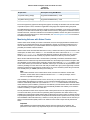
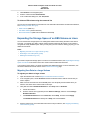
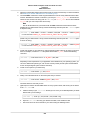
To check whether an instance has the enhanced networking attribute set, use one of the following
commands:
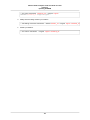
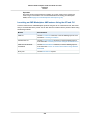
• describe-instance-attribute (AWS CLI)
554