1
4.2
Analysis
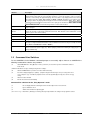
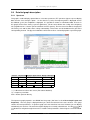
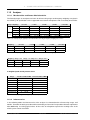
In the popup menu for the 1/3 octaves (click on the icon on the first level (1/3 octaves)) you can find the entry
1/1 octave. This command switches the analysis mode from 1/3 octaves to the calculation for 1/1 octaves.
All parameters and settings remain the same except the number of frequency bands. They comply with the
standard octave centre frequencies.
4.2.3
FFT Analysis
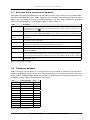
The FFT analysis is performed by the PC on the basis of the time signal. You may select the number of
spectral lines within a range of 101 to 25601 as well as various window options. Possible window options
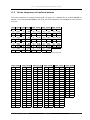
are: Rect, Hanning, Hamming, Kaiser-Bessel, Blackman, Flat-Top, Bartlett (Triangle), Welch, Gauss, Cosine
N/4, Cosine N/8, Cosine N/16, Cosine N/32.
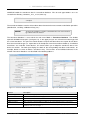
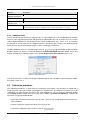
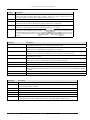
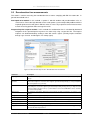
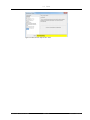
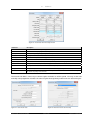
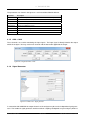
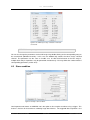
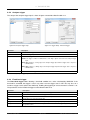
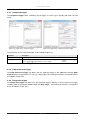
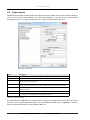
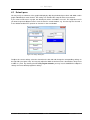
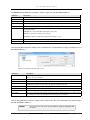
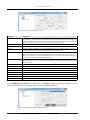
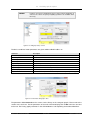
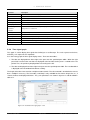
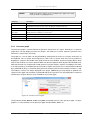
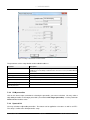
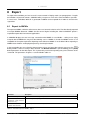
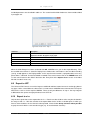
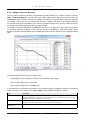
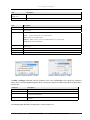
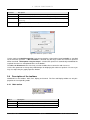
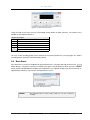
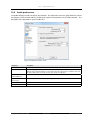
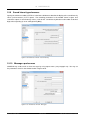
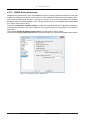
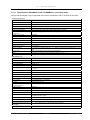
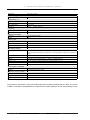
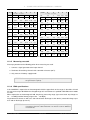
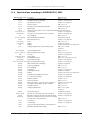
The figure 4.15 shows the FFT Analysis setup window. The description of the parameters can be found in
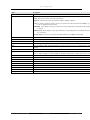
the table 4.13.
Figure 4.15: Setup FFT spectrum
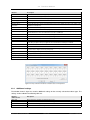
Parameter
Description
Enable
En-/Disable calculation of FFT spectra.
Store mode
see table 4.12
Number of lines
Number of spectral lines; available values are: 101, 201, 401, 801, 1601, 3201, 6401, 12801, 25601.
Window
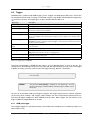
Select appropriate window option, for available settings see 4.15.
Overlap
Time slot overlap for FFT calculation. Please note that values exceeding 50 % at a bandwidth of
20 kHz could overload the processor and thus cause real-time capability losses and record failures.
A 700 MHz Pentium 3 processor is able to calculate four channels with an overlap of 50 %.
Averaging mode
see table 4.11
Linear count
see table 4.12
Exp. time (s)
see table 4.12
Delta time
see table 4.12
Table 4.13: Parameters for the FFT analysis window
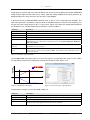
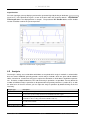
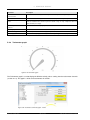
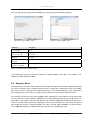
You can also change the parameters for the FFT spectra by double-clicking on the corresponding entry on
the second level (individual channels). In this case, the window only contains the values for the selected
channel. The settings are the same as in table 4.13.
As with the third octave and the SLM analysis, multiple FFTs may be calculated simultaneously. You may
define the number with the corresponding parameter (section 10.4).
SINUS Messtechnik GmbH
41 of 132
Manual SAMURAI