1
104
CHAPTER 4. JSIM WIZ
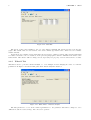
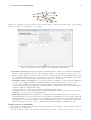
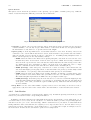
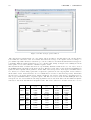
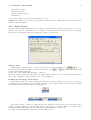
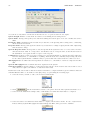
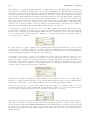
Simulation Seed: this parameter is used to initialize the pseudo-random number generator; it should be changed
very cautiously, since the statistical quality of the sequence of pseudo-randomly generated numbers is affected
by the seed choice.
Maximum Duration: this parameter is set to infinite by default, so that even lengthy simulations can complete and satisfy even narrow confidence intervals; finite values (in seconds) may force termination before the
end of the simulation.
Maximum Number of Samples: this parameter is set by default to 500,000; with a smaller number of samples it
may not be possible to achieve the requested confidence interval, a larger number may not necessarily increase
the results accuracy and simply extend the simulation time.
Animation Update Interval: this parameter indicates the time interval between consecutive graph updates
on the screen; the default value is 2 sec, as it provides for a smooth progression of the graphs on the screen.
Larger values will make the evolution of the simulation appear jerky.
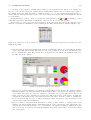
Number of classes in queue animation: this parameter controls the number of classes for which graphs will be
plotted for the selected performance indices; by setting the default value to 10, all classes are represented in
most models. Graph animation is enabled by default but can be disabled.
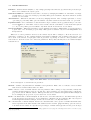
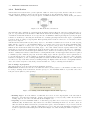
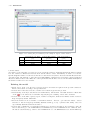
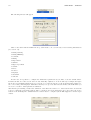
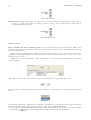
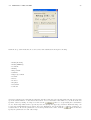
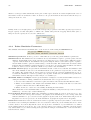
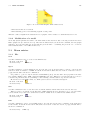
Finite Capacity Region (FCR) Parameters These parameters define the default values for newly created Finite Capacity regions. For information about Finite Capacity Regions, see subsection 4.2.1
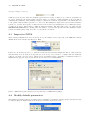
Name: the default name of each newly created Finite Capacity Region is FCRegion, followed by a progressive
integer, starting from 1, indicating how many classes you have created so far. It can be reset to any alphanumerical string, which will be followed by the same numbering scheme.
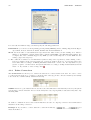
Global Region Capacity: the default value of this parameter is infinite, i.e., there is no upper limit to the
total number of customers allowed in the region; the value can be changed to finite, and a number must be
specified.
Region Capacity per Class: the default value of this parameter is infinite, i.e., there is no upper limit to
the per class total number of customers allowed in the region; the value can be changed to finite and a number
must be specified.
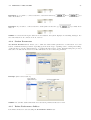
Drop: the default value of this parameter is False, i.e., no customer is ever discarded when arriving at the
region; it can be changed to True, in which case customers in excess of the region capacity are discarded.
4.5
Modify the Current Model
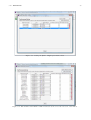
After creating a model and possibly running a simulation, you can go back to the model and modify it. To
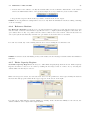
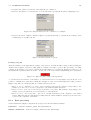
modify the current model parameters after a simulation, close the simulation windows with the
button and
select the tab of the feature you wish to modify. No constraints on the order apply in this case, since all the
model parameters are already defined. If no simulation was run, simply select the tab of interest.
Parameters are changed the same way they were set when creating the model the first time section 4.2.
4.6
Error and warning messages
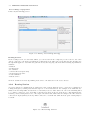
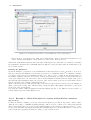
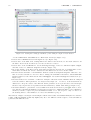
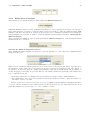
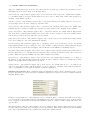
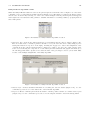
When you start the simulation, JSIM analyzes the model and if there are errors or inconsistencies, a diagnostic
window will pop up, describing the problems found.