1
148 Moving and copying
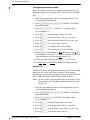
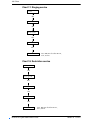
Copying system programming to a single extension
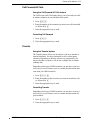
Pressing the COPY softkey allows you to copy programming from
one telephone to another telephone, to a range of telephones, or to
all telephones in the system.
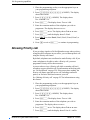
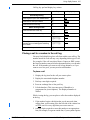
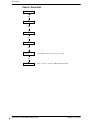
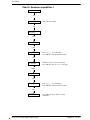
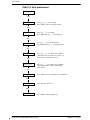
1. Place the programming overlay over the appropriate keys on
your programming telephone.
2. Press ≤••¤flfl‹›› (CONFIG). The display
shows Password:.
3. Press ‡¤‡fi°‡ (SAPLUS). The display shows
Terminals&Extns.
4. Press ≠ and enter the extension number whose
programming you want to copy.
5. Press COPY. The display shows Copy:SYSTEM data.
6. Press CHANGE to toggle between SYSTEM data (to copy the
programming of the system) and SYSTEM+USER (to copy the
programming of the system and the programming of a particular
extension).
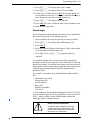
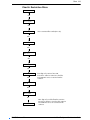
7. Press ‘. The display shows Copy:SINGLE.
8. Press ‘. The display shows Copy to:.
9. Enter the extension number of the telephone that will be
programmed. The display shows nnn>nnn briefly, then returns to
Copy to:.
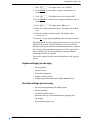
10. Keep entering extension numbers if you have other, single
extensions that you wish to programme.
11. Press CANCL when you are finished.
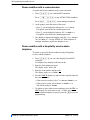
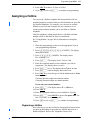
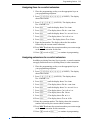
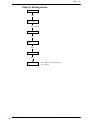
Copying system programming to a range of extensions
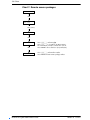
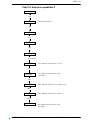
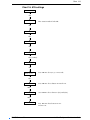
1. Place the programming overlay over the appropriate keys on
your programming telephone.
2. Press ≤••¤flfl‹›› (CONFIG). The display
shows Password:.
3. Press ‡¤‡fi°‡ (SAPLUS). The display shows
Terminals&Extns.
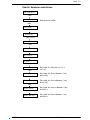
4. Press ≠ and enter the extension number whose
programming you want to copy.
5. Press COPY. The display shows Copy:SYSTEM data.
6. Press CHANGE to toggle between SYSTEM data (to copy the
programming of the system) and SYSTEM+USER (to copy the
programming of the system and the programming of a particular
extension).
Modular Plus System Administration Guide
P0607110 Issue 01