1
38 System programming introduction
Ring Again
You can have the Norstar system notify you when an extension is
either not busy or has just been used. This feature enables you to
reach the person on that extension.
For example, Miss Vale has an urgent request for Mr. Moore.
When she dials his extension, it is busy. She uses the Ring Again
feature to monitor the line. As soon as Mr. Moore hangs up, Miss
Vale’s telephone rings to let her know that she can try her call
again.
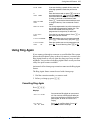
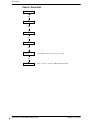
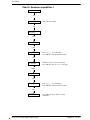
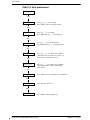
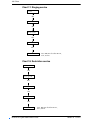
Dial the extension number, press ≤¤, then hang up.
See ‘Using Ring Again’ on page 283.
Transfer
If you are an attendant, or if a call should be routed to someone
else, you can do it easily with Modular Plus. For example, a client
calls Mr. Forbes. Mr. Forbes realizes that it would be better for the
client to speak to Ms. Smith, so he transfers the call to Ms.
Smith’s extension. When Ms. Smith answers, Mr. Forbes
explains the situation briefly and then hangs up. The client
remains on the line with Ms. Smith.
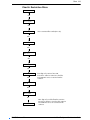
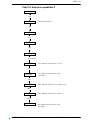
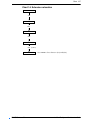
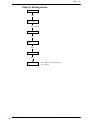
Press ≤‡‚, dial the number, then hang up.
See ‘Transferring a call’ on page 247.
SWCA keys
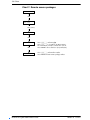
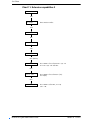
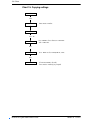
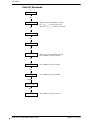
System-wide call appearance keys, allow anyone in the system to
pick up a parked call, by entering the feature code that was used
to park the call, which can be any one of these 16 codes:
≤•fi¤‚ to ≤•fi‹fi.
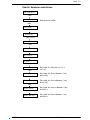
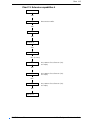
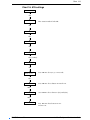
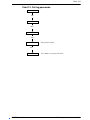
You can also assign a number of these codes to memory buttons
with indicators to any group of telephones. In which case, calls
can be parked on the memory buttons and are visible and can be
retrieved at other extensions by pressing the corresponding
button.
See "Setting SWCA controls" on page 143.
Modular Plus System Administration Guide
P0607110 Issue 01