1
Amazon Elastic Compute Cloud User Guide for Linux
D2 Instances
• You can cluster D2 instances in a placement group. Placement groups provide low latency and
high-bandwidth connectivity between the instances within a single Availability Zone. For more information,
see Placement Groups (p. 503).
• The d2.8xlarge instance type provides the ability to control processor C-states and P-states on Linux.
C-states control the sleep levels that a core can enter when it is inactive, while P-states control the
desired performance (in CPU frequency) from a core. For more information, see Processor State Control
for Your EC2 Instance (p. 288).
D2 Instance Requirements
The following are the requirements for D2 instances:
• D2 instances require 64-bit HVM AMIs. They have high-memory (up to 244 GiB of RAM), and require
a 64-bit operating system to take advantage of that capacity. HVM AMIs provide superior performance
in comparison to paravirtual (PV) AMIs on high-memory instance types. In addition, you must use an
HVM AMI to take advantage of enhanced networking.
• There is a limit on the total number of instances that you can launch in a region, and there are additional
limits on some D2 instance types. For more information, see How many instances can I run in Amazon
EC2?
If you need more D2 instances, you can request them using the Amazon EC2 Instance Request Form.
• Your d2.8xlarge instances are capable of providing up to 3.5 GB/s read performance and 3.1 GB/s
write performance with a 2 MiB block size. To ensure the best disk throughput performance from your
D2 instances on Linux, we recommend that you use the most recent version of the Amazon Linux AMI,
or another Linux AMI with a kernel version of 3.8 or later. D2 instances provide the best disk performance
when you use a Linux kernel that supports persistent grants, an extension to the Xen block ring protocol
that significantly improves disk throughput and scalability. For more information about persistent grants,
see this article in the Xen Project Blog.
• The d2.8xlarge instance type has 36 vCPUs, which might cause launch issues in some Linux operating
systems that have a vCPU limit of 32. For more information, see Support for 36 vCPUs (p. 122).
Support for 36 vCPUs
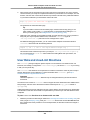
The d2.8xlarge instance type provides 36 vCPUs, which might cause launch issues in some Linux
operating systems that have a vCPU limit of 32. We strongly recommend that you use the latest AMIs
when you launch d2.8xlarge instances.
The following Linux AMIs support launching d2.8xlarge instances with 36 vCPUs:
• Amazon Linux AMI 2015.03 (HVM)
• Ubuntu Server 14.04 LTS (HVM)
• Red Hat Enterprise Linux 7.1 (HVM)
• SUSE Linux Enterprise Server 12 (HVM)
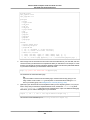
If you must use a different AMI for your application, and your d2.8xlarge instance launch does not
complete successfully (for example, if your instance status changes to stopped during launch with a
Client.InstanceInitiatedShutdown state transition reason), modify your instance as described in
the following procedure to limit it to 32 vCPUs so that you can use the d2.8xlarge instance type.
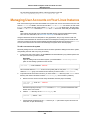
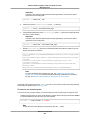
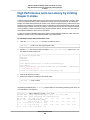
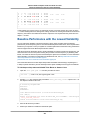
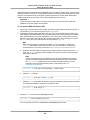
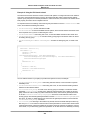
To modify an instance to support only 32 vCPUs with the d2.8xlarge instance type
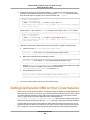
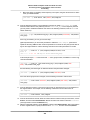
1.
Launch a D2 instance using your AMI, choosing any D2 instance type other than d2.8xlarge.
API Version 2015-04-15
122