1
Amazon Elastic Compute Cloud User Guide for Linux
Buying Reserved Instances
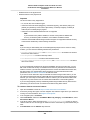
Note
To purchase and modify Reserved Instances, ensure that your account has the appropriate
permissions, such as the ability to describe Availability Zones. For information, see the IAM Best
Practices and the Permissions and Policies sections in the IAM User Guide guide.
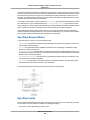
Purchase—Determine how much capacity you want to reserve. Specify the following criteria for your
instance reservation:
• Platform (for example, Linux).
Note
When you want your Reserved Instance to run on a specific Linux platform, you must identify
the specific platform when you purchase the reserved capacity. Then, when you launch your
instance with the intention of using the reserved capacity you purchased, you must choose
the Amazon Machine Image (AMI) that runs that specific Linux platform, along with any other
specifications you identified during the purchase.
•
•
•
•
Instance type (for example, m1.small).
Availability Zone where you want to run the instance.
Term (time period) over which you want to reserve capacity.
Tenancy. You can reserve capacity for your instance to run in single-tenant hardware (dedicated
tenancy, as opposed to shared). The tenancy you select must match the tenancy of the On-Demand
instance you're applying, or plan to apply, the Reserved Instance to. For information, see Dedicated
Instances.
• Offering (No Upfront, Partial Upfront, All Upfront).
Use—To use your Reserved Instance, launch an On-Demand EC2 instance with the same criteria as
Reserved Instance you purchased. The Reserved Instance pricing benefits and capacity reservations
automatically apply to any matching EC2 instances you have that aren't already covered by a reservation.
For more information, see Launch Your Instance (p. 243).
Buying in the Reserved Instance Marketplace
You can purchase Amazon EC2 Reserved Instances from AWS or you can purchase from third-party
sellers who own Reserved Instances that they no longer need.
For a buyer, the Reserved Instance Marketplace provides increased selection and flexibility by allowing
you to search for Reserved Instances that most closely match your preferred combination of instance
type, region, and duration.
For more information about the Reserved Instance Marketplace, see Selling in the Reserved Instance
Marketplace (p. 182).
There are a few differences between Reserved Instances purchased in the Marketplace and Reserved
Instances purchased directly from AWS:
• Term—Reserved Instances that you purchase from third-party sellers have less than a full standard
term remaining. Full standard terms from AWS run for one year or three years.
• Upfront price—Third-party Reserved Instances can be sold at different upfront prices. The usage or
recurring fees remain the same as the fees set when the Reserved Instances were originally purchased
from AWS.
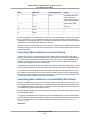
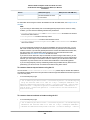
Basic information about you is shared with the seller, for example, your ZIP code and country information.
This information enables sellers to calculate any necessary transaction taxes that they have to remit to
the government (such as sales tax or value-added tax) and is provided in the form of a disbursement
API Version 2015-04-15
180