1
Amazon Elastic Compute Cloud User Guide for Linux
Instances
Reserved Instances
Note
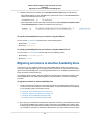
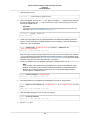
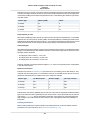
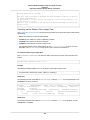
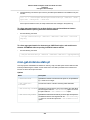
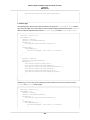
If you use the DescribeReservedInstancesModifications API action, the status of your modification
request should show processing, fulfilled, or failed.
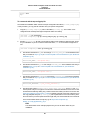
If your modification request succeeds:
• The modified reservation becomes effective immediately and the pricing benefit is applied to the new
instances beginning at the hour of the modification request. For example, if you successfully modify
your reservations at 9:15PM, the pricing benefit transfers to your new instance at 9:00PM. (You can
get the effective date of the modified Reserved instances by using the DescribeReservedInstances
API action or the ec2-describe- reserved-instances CLI command.)
• The original reservation is retired. Its end date is the start date of the new reservation, and the end
date of the new reservation is the same as the end date of the original Reserved instance. If you modify
a three-year reservation that had 16 months left in its term, the resulting modified reservation is a
16-month reservation with the same end date as the original one.
• The modified reservation lists a $0 fixed price and not the fixed price of the original reservation.
Note
The fixed price of the modified reservation does not affect the discount pricing tier calculations
applied to your account, which are based on the fixed price of the original reservation.
If your modification request fails:
• Your Reserved instances maintain their original configuration.
• Your Reserved instances are immediately available for another modification request.
For more information about why some Reserved instances cannot be modified, see Requirements for
Modification (p. 212).
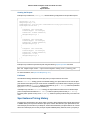
Troubleshooting Modification Requests
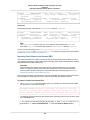
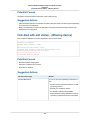
If the target configuration settings that you requested were unique, you receive a message that your
request is being processed. At this point, Amazon EC2 has only determined that the parameters of your
modification request are valid.Your modification request can still fail during processing due to unavailable
capacity.
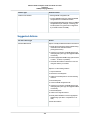
In some situations, you might get a message indicating incomplete or failed modification requests instead
of a confirmation. Use the information in such messages as a starting point for resubmitting another
modification request.
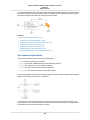
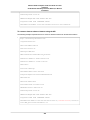
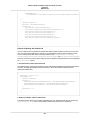
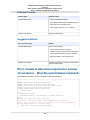
Not all selected Reserved instances can be processed for modification
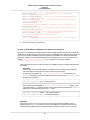
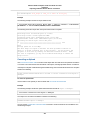
Amazon EC2 identifies and lists the Reserved instances that cannot be modified. If you receive a message
like this, go to the Reserved Instances page in the AWS Management Console and check the information
details about these capacity reservations.
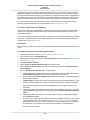
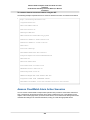
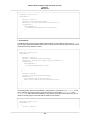
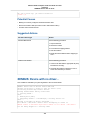
Error in processing your modification request
You submitted one or more Reserved instances for modification and none of your requests can be
processed. Depending on the number of reservations you are modifying, you can get different versions
of the message.
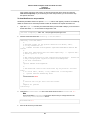
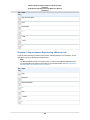
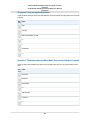
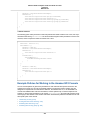
Amazon EC2 displays the reasons why your request cannot be processed. For example, you might have
specified the same target configuration—a combination of Availability Zone and platform—for one or more
subsets of the Reserved instances you are modifying. Try submitting these modification requests again,
but ensure that instance details of the reservations match, and that the target configurations for all subsets
being modified are unique.
216