1
METADATA DELIVERY (DATA ENTRY)
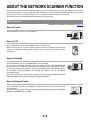
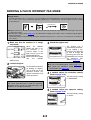
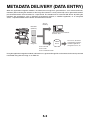
When the application integration module is installed and an image file is generated for a scan send transmission,
metadata (data indicating the attributes of the image file and how it is to be processed) can be generated based on
pre-stored information and transmitted as a separate file. The metadata file is created in XML format. By linking the
metadata with applications such as document management software, a workflow application, or an encryption
server, a sophisticated document solution environment can be built.
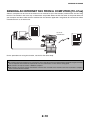
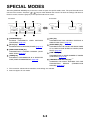
Scan to
Desktop
Metadata
(XML file)
Client PC that uses Network
Scanner Tool
Server
Image file
Fax server, document
management software,
workflow application,
encryption server, etc.
Scan to E-mail
Scan to FTP
Scan to Network Folder
Using the application integration module, information on a generated image file can be entered at the touch panel and
transmitted along with the image as an XML file.
5-2







![2 Appuyez sur la touche [OK].](http://vs1.manualzilla.com/store/data/006375112_1-113b6d7be7675b26487a7e650bd0b9b3-150x150.png)