1
SETTINGS AND PROGRAMMING REQUIRED
FOR THE NETWORK SCANNER FEATURE
To use the Network Scanner feature, settings for the SMTP server, DNS server, and destination addresses must be
established.
To establish the settings, use a computer that is connected to the same network as the machine to access the
machine's Web page. The Web page can be displayed with your Web browser (Internet Explorer 6.0 or higher
(Windows), Netscape Navigator 7.0 or higher, or Safari 1.2 or higher (Macintosh)).
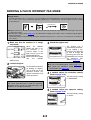
ACCESSING WEB PAGES
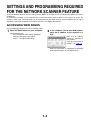
Use the following procedure to access the Web pages.
the Web browser on your computer.
1 Open
Supported browsers:
the "Address" field of your Web browser,
2 Inenter
the IP address of the machine as a
URL.
Internet Explorer 6.0 or higher (Windows)
Netscape Navigator 7.0 or higher
Safari 1.2 or higher (Macintosh)
Input the IP address
previously specified in
this product.
If you do not know the IP
address, see page 7-4.
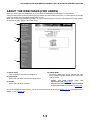
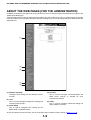
When the connection is completed, the following
Web page will appear in your Web browser.
1-4








![2 Appuyez sur la touche [OK].](http://vs1.manualzilla.com/store/data/006375112_1-113b6d7be7675b26487a7e650bd0b9b3-150x150.png)