1
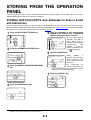
STORING FROM THE OPERATION PANEL
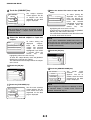
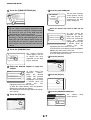
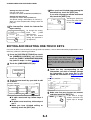
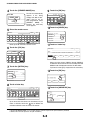
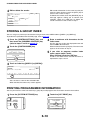
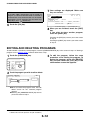
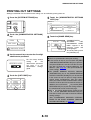
3 Touch the [SENDING ADDRESS LIST] key.
4 Touch the key of the list you wish to print.
ADDRESS LIST
ALL CUSTOM SETTING LIST
INDIVIDUAL
LIST
SENDING ADDRESS LIST
GROUP LIST
PROGRAM LIST
MEMORY BOX
LIST
[INDIVIDUAL
LIST
PROCESSING PRINT
DATA.] appears in the
message display and
printing begins.
To cancel printing, touch
the [CANCEL] key.
NOTES
● The list is printed before other print jobs waiting to be printed.
● If you attempt to print a list when no data exists, a warning message will appear.
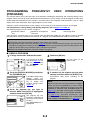
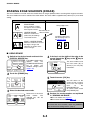
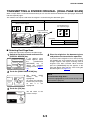
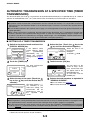
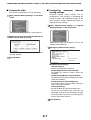
STORING A PROGRAM
You can store a destination address, erase, dual page scan, 2in1, card shot, and resolution and exposure settings
in a program. This enables you to call up the program and perform the transmission by means of a simplified
operation. (See "USING A PROGRAM" on page 3-3.)
NOTE
A timer setting (page 3-6) cannot be included in a program.
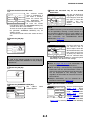
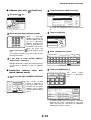
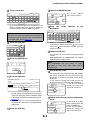
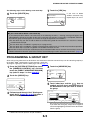
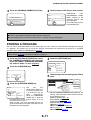
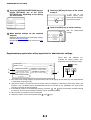
the [SYSTEM SETTINGS] key, touch
1 Press
the [ADDRESS CONTROL] key, and then
4 Touch the [SETTINGS] key.
touch the [DIRECT ADDRESS/PROGRAM]
key (refer to steps 1 to 3 on page 6-2).
2
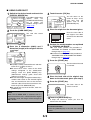
No.1
PROGRAM NAME PROGRAM FOR ABC
SETTINGS
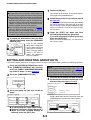
Touch the [PROGRAM] key.
ADDRESS
RESOLUTION
SPECIAL MODES
E
P
PROGRAM
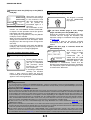
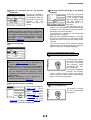
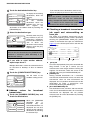
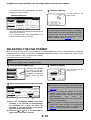
the keys for the settings you wish to
5 Touch
store.
AM
ENTER PROGRAM YOU REQUIRE.
3
AUTO
EXPOSURE
300x300dpi
RESOLUTION
Touch the [PROGRAM NAME] key.
CANCEL
SCAN
MODE SWITCH
OK
ADDRESS BOOK
ADDRESS REVIEW
SPECIAL MODES
The
"No."
that
automatically appears is
the lowest number from
1 to 8 that has not yet
SETTINGS
ADDRESS
been
programmed.
When the [PROGRAM
RESOLUTION
NAME] key is touched,
the letter-entry screen appears. Enter up to 18
characters for the name.
Refer to page 7-29 of the operation manual (for
general information and copier operation) for the
procedure for entering letters.
PROGRAM
No.1
PROGRAM NAME
6-11
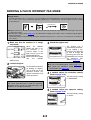
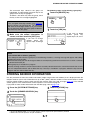
For the detailed procedures for each of the
settings, refer to the explanations of those features
on the following pages.
[RESOLUTION] (page 2-18)
[EXPOSURE] (page 2-18)
[ADDRESS BOOK] (page 1-12)
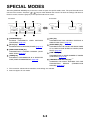
[SPECIAL MODES]
●ERASE (page 3-4)
●DUAL PAGE SCAN (page 3-5)
●2in1 (page 3-7)
●CARD SHOT (page 3-8)







![2 Appuyez sur la touche [OK].](http://vs1.manualzilla.com/store/data/006375112_1-113b6d7be7675b26487a7e650bd0b9b3-150x150.png)