1
Preface
Organization
Organization
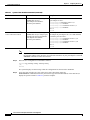
This document contains the following chapters:
Section
Title
Description
Chapter 1
Overview
Describes the PA-T3+ and its LED displays, cables,
and receptacles.
Chapter 2
Preparing for Installation
Describes safety considerations, tools required, and
procedures you should perform before the actual
installation.
Chapter 3
Removing and Installing
Port Adapters
Describes the procedures for installing and removing
PA-T3+ port adapters in the supported platforms.
Chapter 4
Configuring the PA-T3+
Provides instructions for configuring the PA-T3+ on
the supported platforms.
Related Documentation
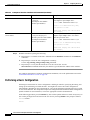
Your router and the Cisco IOS software running on it contain extensive features and functionality, which
are documented in the following resources:
•
Cisco IOS software:
For configuration information and support, refer to the modular configuration and modular
command reference publications in the Cisco IOS software configuration documentation set that
corresponds to the software release installed on your Cisco hardware.
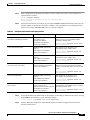
Note
•
You can access Cisco IOS software configuration and hardware installation and
maintenance documentation on the World Wide Web at http://www.cisco.com,
http://www-china.cisco.com, or http://www-europe.cisco.com.
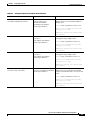
Catalyst 6000 family FlexWAN module:
For hardware installation and maintenance information, refer to the following publications:
– Catalyst 6000 Family FlexWAN Module Installation and Configuration Note
– The hardware and software publications that shipped with your Catalyst 6000 family switch
•
Cisco 7000 series routers:
For hardware installation and maintenance information, refer to the following publications:
– Cisco 7000 Hardware Installation and Maintenance that shipped with your router.
– Second-Generation Versatile Interface Processor (VIP2) Installation and Configuration
– Fourth-Generation Versatile Interface Processor (VIP4) Installation and Configuration
– Versatile Interface Processor (VIP6-80) Installation and Configuration
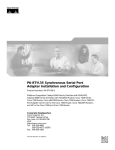
PA-T3+ Serial Port Adapter Installation and Configuration
viii
OL-3505-03