1
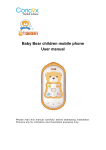
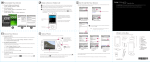
and then close the latch. To remove the T-flash card, open its latch and slightly press the card inward. The card will automatically pop out. Close the latch. 2.1 Charging the Battery The lithium battery delivered with the mobile phone can be put into use immediately after being unpacked. A new battery will have maximum performance after the first three full charge/discharge cycles. 2.2 Linking to the Network The mobile phone automatically searches for an available network. Dialing a call to a number in the phonebook Enter the phonebook and use the upward and/or downward direction keys to find the telephone number you want to call. Press the Dial key. The mobile phone automatically dials the chosen telephone number. Redialing the last number In the standby interface, press the dial key to show the dialed calls. Press the upward and/or downward direction keys to select a number you want to dial and then press the Dial key. Adapting volume During a conversation, you can press the Up and/or Down direction keys to tune the sound volume. Answering incoming calls 2