1
5. “Add Loco” will flash again, prompting you to add another loco into the
consist. You can control up to 4 locos total (including the lead loco) in a
Universal Consist. To end programming, press ENTER.
Note
Use of the speed step button will not alter the speed step originally
programmed into the decoder. It only matches the throttle to the decoder.
Yard Mode On/Off (Prodigy Advance Cab only)
To toggle the Yard Mode feature on or off, press SYS and 3. In standard
throttle mode, the throttle only controls loco speed. When the Yard Mode
feature is on (“Yard” displayed on LCD), the yard throttle will control both
the speed and direction of the loco. Let’s explain how to use the Yard
throttle.
Running Universal (Old-Style) Consists (Prodigy Advance Cab only)
Note
Running a Universal Consist is different from running a single loco.
After setting up your consist group, use the lead loco’s address to run the
consist.
Cons
REV
Speed
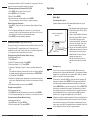
The above LCD display shows a Universal Consist group led by lead loco
3802 running in reverse at a speed of 102.
Note
When running a Universal Consist, LCD shows “Cons.” When running an
Advance Consist, LCD shows “Loco.”
Clearing Universal (Old-Style) Consists (Prodigy Advance Cab only)
To clear a consist, press CONSIST until “Cons oLd cLr” flashes in the
display. Then press ENTER. Turning off the power on the base unit will not
clear the consist.
Once you clear the consist, each loco will immediately respond to its
original speed command.
Fast Clock (Prodigy Advance Cab only)
Setting Fast Clock (Master Cab only)
Loco
FWD
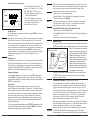
Time
Speed
Only the Master Cab (Cab #1) can
program the time, time ratio, and AM/
PM or military (24 hr) time. The time
settings entered by the Master Cab are
stored in the Prodigy Express DCC
system base unit memory. The
settings will remain unchanged until
you reprogram them. The time is sent
to all Cabs operating on the layout so
railroad schedules can be maintained.
Setting Time (Master Cab only) (Prodigy Advance Cab only)
1. Make sure your Cab is the Master Cab.
2. Press SYS and 1. The current time will be momentarily displayed.
3. Enter the new time. Press ENTER.
Setting Time Rate (ratio) (Master Cab only):
The time rate is how many real seconds are in one fast clock minute.
2-10 Operation
When the loco is traveling forward, turning the yard throttle clockwise will
increase the loco’s speed. Turning counterclockwise will decrease its
speed until 0. Continuing turning counterclockwise will reverse the loco’s
direction. Continuing turning counterclockwise will increase the loco’s
speed in the reverse. Turning clockwise will decrease its speed in the
reverse until 0. Continuing turning clockwise will reverse the loco’s
direction and set it forward.
1. Press CONSIST then LOCO. Make
sure “Cons” appears on the LCD
display.
2. Enter the address of the lead loco
and press ENTER.
3. Turn the throttle and all the locos in
the consist will start moving together.
4. To control accessory functions, use
each loco’s original address.
MRC Prodigy Advance
Fast Clock (Prodigy Advance Cab only)
AM
Loco
FWDG
Time
Speed
To view the fast clock, press TIME. The
time will replace the address display on
the LCD. You can still run the current
loco while the time is displayed. To
return to the loco address display,
press TIME again. The time information
is stored in the base unit and
transmitted to the Cab. Each Cab
displays the same time.
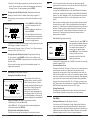
The above LCD display shows time of 8:02AM. The current loco is moving
forward at a speed of 102.
Overload and Short Circuit
The base unit is rated at 1.6 amps. It is up to you to note how many locos
and accessories can be run on the layout at the same time without
triggering the circuit protector. If there is an overload or short circuit, the
base unit will stop Main Track output for 2 seconds then resume. Please
remove the overload or short circuit for proper operation. When operating
larger layouts with numerous locos and accessories being operated at
the same time or when running 2-rail “O” or “G” scales, you may need a
DCC power booster. We recommend you use the MRC Power Station 8 or
MRC Distribute Power Bosster to boost your DCC layout.
Shutting Down the Unit
Unplugging the AC adapter from AC outlet. The base unit will store all
current running information, including time, for the next session.
Cab Setup
Setting Cab Addresses (Prodigy Express Cab only)
You can use up to 20 Cabs with the Prodigy Express. Each Cab must
have a unique address. Any Cab you purchase has the factory default
address #1. Cab #1 is the Master Cab that can perform all functions. Any
additionally purchased Cabs are also Master Cabs and must have their
addresses changed from #1 to their own unique addresses.
MRC Prodigy Advance
Operation 2-3