1
MAGELLAN FC-SAS/SATA Installation and Hardware Reference Manual
d.
The MAGELLAN RAID subsystem has not work well or you
cannot get it work according to this manual.
e.
The MAGELLAN RAID subsystem has dropped and damaged.
f.
If the MAGELLAN RAID subsystem has obvious sign of breakage
16. Thermal notice: All drive trays (even if they do not contain a hard
drive) must be installed into the enclosure. Leaving a drive bay or
module slot open will greatly affect the airflow efficiency within the
enclosure, and consequently lead to system overheating. Keep a faulty
module in place until you have a replacement unit and are ready to
replace it.
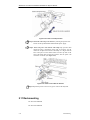
17. An enclosure without disk drives can weigh up to 19 kilograms. (42
lbs.) Two people will be required to install or relocate the subsystem.
Drives should be removed from the enclosure before moving the
subsystem.
18. Airflow considerations: The subsystem requires an airflow clearance
especially at the front and rear. For proper ventilation, a minimum of
2.5cm (1 inch) is required between the front of the enclosure and rack
cover; a minimum of 5cm (2 inches) is required between the enclosure
and end of the cabinet.
19. Handle the system modules by the retention screws, eject levers, or the
module’s metal frame/face plate only. Avoid touching the PCB boards
or connector pins.
20. Always secure every enclosure module with its retaining screws or
make sure it is held in place by its latches.
21. Be sure that the rack cabinet in which the subsystem chassis is to be
installed provides sufficient ventilation channels and airflow circulation
around the subsystem.
22. Provide a soft, clean surface to place your enclosure on before working
on it. Servicing the enclosure on a rough surface may damage the finish
of the chassis.
23. When working with the subsystem, it is important to use tools with
extreme care. Do not place tools or other items on top of the enclosure
to avoid damaging the outward appearance of the chassis.
24. If it is necessary to transport the subsystem, remove and repackage all
drives and replaceable modules separately.
2.3.2
Static-free Installation
Static electricity can damage the system’s electronic components. To
prevent ESD damage to any of the components, follow these precautions
before touching or handling them:
2-4
Safety Precautions