1
registering and naming devices
Macintosh™
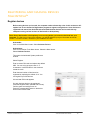
Register devices
Before voting devices can be used, the computer needs to know they exist. In this section we will
explain how to use the Device Registration program to register voting devices. Once devices are
registered and named, the Activhub and associated Activote devices can be used with any
computer running correct versions of Activstudio or Activprimary.
Note: Ensure Activstudio or Activprimary is not running before you insert the Activhub into your
computer. The first time you launch the software, you will be asked to input your information and serial
number. The serial number is located on your installation CD case.
Activstudio:
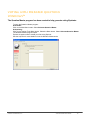
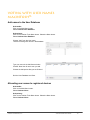
Click on the Main Menu button. Select Activote>Devices.
Activprimary:
Click on the Teacher Tools Menu button. Select the Menu button.
Select Activote>Devices.
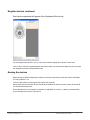
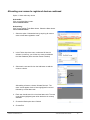
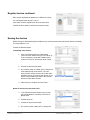
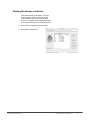
This opens the Activboard System preference
window.
Select Register.
Enter a custom PIN code and replace the default
ABC. You can only type upper case A – F
characters or use the buttons in the window to
create the code.
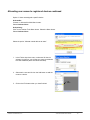
Enter the total number of devices to be
registered by replacing the default of 10. You
can register up to 500 devices.
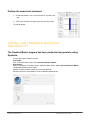
A three-letter PIN code appears.
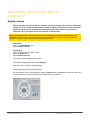
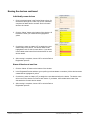
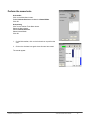
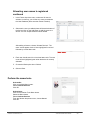
On each Activote device to be registered,
press the Register button (labeled with a flame)
until the green and red lights turn on.
Press the corresponding letters on the device
which match the PIN code.
© 2007 Promethean, Inc.
Activote Quick Start Guide
16