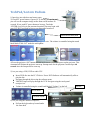
1
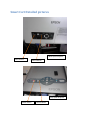
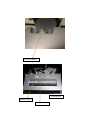
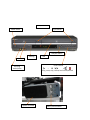
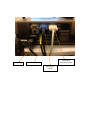
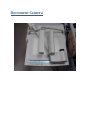
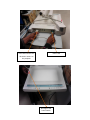
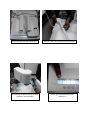
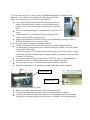
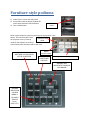
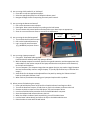
4) Are you using a DVD, audio CD, or VHS tape? Insert disc or tape into appropriate player Select the appropriate player on the Graphic Indicator panel Navigate through the disc or tape using the touch panel controls 5) Are you using the Document Camera? Pull out the document camera drawer Raise lights. Raise camera head by first pushing on the lock button Turn on camera with power button and select either top or base lamps as appropriate Zoom in or out and use auto-focus or manual focus adjustments 6) Are you using the installed computer? Turn on both the PC and PC monitor Pull out the keyboard/mouse tray Log in using the room username (e.g.,W248w2k) and press <Enter> PC Power on/off PC monitor Power on/off 7) Are you using a laptop computer? Using the 3’ VGA/audio cable supplied (stored inside the cabinet) attach the laptop as follows: With the laptop computer turned off, attach the long audio extension and the appropriate VGA cable adapter to the monitor output of the laptop and the other end (shorter audio extension) to the input at the Podium. Turn on computer. (If a computer image does not appear the user may need to ‘toggle’ between the local and secondary monitor using the laptop “F” (usually F8) function keys to initialize VGA output.) Audio levels for the laptop can be adjusted from the panel by rotating the “Master Volume” knob on the Graphic Indicator Panel When finished, shut down and unplug your laptop and replace cable in podium. 8) When you are finished using the system: Press and hold Display Power on/off until the Graphic Indicator Panel begins to blink. Turn off the document camera, re-fold the arms, push in the drawer, and secure the lock Remove any disks or tapes from the DVD player, VCR, and computer drives Use the normal Shut Down procedure for the installed Windows® computer Store the keyboard and mouse and secure the lock When the Graphic Indicator Panel stops blinking, turn off the Main Power Lock the lower cabinet door(s) and return the keys to the Multimedia Services Raise the electric screen with the wall switch