1
SADT Cookbook for VISTA
B
Issue 2 39
Plotting tiles/pawprints in Aladin
Aladin (http://aladin.u-strasbg.fr/) is an interactive sky atlas allowing the user to visualize digitized
astronomical images, superimpose entries from astronomical catalogs or databases, and interactively access related data and information from the Simbad database, the VizieR service and other
archives for all known sources in the field.
SADT can export tiles for plotting in Aladin. SADT does this using a PLASTIC manager. PLASTIC, the PLatform for AStronomical Tool InterConnection (http://plastic.sourceforge.net/), is a
VO protocol for communication between client-side astronomical applications.
Once you have created tiles, you should be able to send them to Aladin from SADT’s PLASTIC
dialog. Note that Aladin should be started, with PLASTIC hub manager, (on the same machine
as the SADT) before you attempt to export any tiles to Aladin.
Aladin V4 and V5 launched a PLASTIC manager by default, Aladin V6 will by default launch
a SAMP internal hub and not a PLASTIC internal hub. To launch PLASTIC internal hub you
have to specify in advance the “-plastic” parameter on the Aladin command line (http://aladin.ustrasbg.fr/java/FAQ.htx#ToC34).
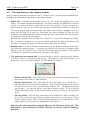
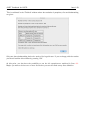
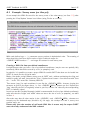
The ‘Plastic’ button in the SADT GUI brings up a PLASTIC dialog box:
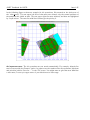
From this dialog it is currently only possible to send survey tiles (not survey areas) to Aladin. All
the pawprints are sent over and you should see their centres in Aladin. If other PLASTIC managers
are running in addition to Aladin the tiles can be exported to these by choosing between Aladin and
the other tools using the selection button at the upper middle right of the above ‘Plastic’ window.
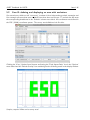
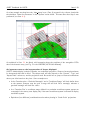
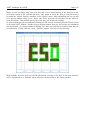
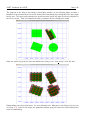
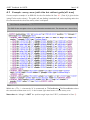
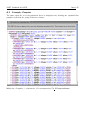
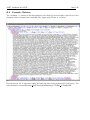
Here we show how Aladin displays the pawprint centres of the ‘ESO’ survey as rhombs: