1
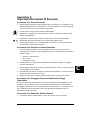
DMX Data Cables .......................................................................................................... 2-7
Cable Connectors........................................................................................................... 2-7
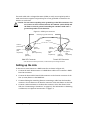
Setting up the Link ............................................................................................................... 2-8
Constructing a Terminator ................................................................................................... 2-9
Powering On the Fixture ........................................................................................................... 2-10
Homing the Fixture.................................................................................................................... 2-10
Viewing the Display Panel ................................................................................................. 2-10
Fixture Software Version ............................................................................................ 2-10
Fixture Configuration Type......................................................................................... 2-10
DMX Start Channel ..................................................................................................... 2-11
Error Message Display ................................................................................................ 2-11
Verifying and Uploading Fixture Software .............................................................................. 2-11
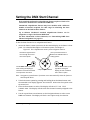
Setting the DMX Start Channel ................................................................................................ 2-12
Shutting Down the Fixture........................................................................................................ 2-13
Chapter 3:
Fixture Operation
Direct x.SpotXtreme Menu System Access ............................................................................... 3-1
TalkBack™ Support for Remote Access ..................................................................................... 3-1
Navigating the Menu System ...................................................................................................... 3-2
The x.SpotXtreme Display ................................................................................................... 3-2
Navigational Basics............................................................................................................... 3-3
Display in Menu Locked Mode ............................................................................................ 3-3
Fixture Software Version .............................................................................................. 3-3
Fixture Configuration Type........................................................................................... 3-3
DMX Start Channel ....................................................................................................... 3-3
Error Message Display .................................................................................................. 3-4
Unlocking the Menu System ................................................................................................ 3-4
Exiting the Menu System ..................................................................................................... 3-4
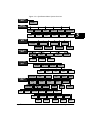
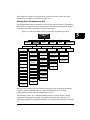
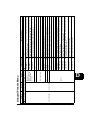
The Menu System Structure ................................................................................................ 3-4
DMX Address Menu .................................................................................................................... 3-6
Setting DMX Start Channel ................................................................................................. 3-6
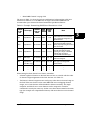
Determining DMX Start Channel Assignment ................................................................... 3-6
Onboard Presets Menu ................................................................................................................ 3-8
Playback Mode Menu ........................................................................................................... 3-8
Edit Scene ## Menu............................................................................................................. 3-8
Editing Scene Parameters by Slot ................................................................................ 3-9
Adding Timing to a Scene ........................................................................................... 3-11
Zero Scene.................................................................................................................... 3-13
Copy Scene Menu ............................................................................................................... 3-13
Capture DMX to Scene....................................................................................................... 3-14
Default Presets .................................................................................................................... 3-14
Send Presets to Other Fixtures .......................................................................................... 3-15
Set Parameters Menu ................................................................................................................ 3-16
Factory Default Settings..................................................................................................... 3-16
x
x.Spot®Xtreme User Manual