1
D-20
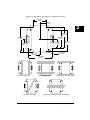
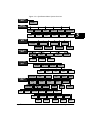
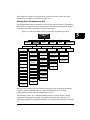
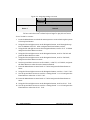
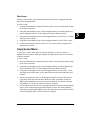
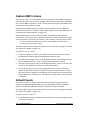
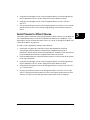
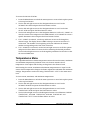
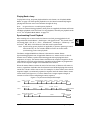
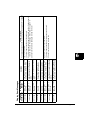
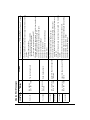
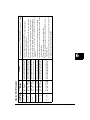
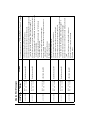
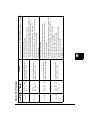
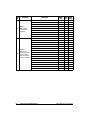
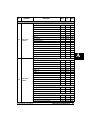
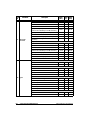
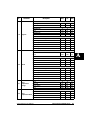
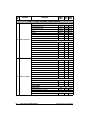
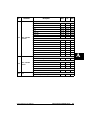
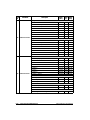
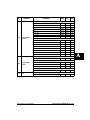
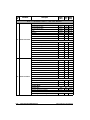
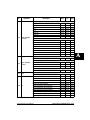
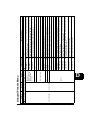
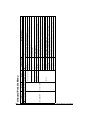
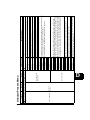
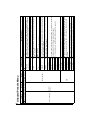
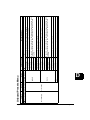
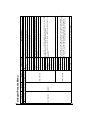
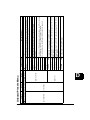
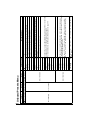
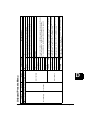
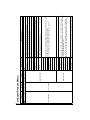
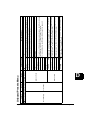
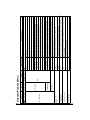
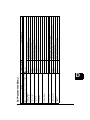
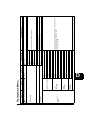
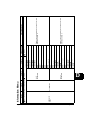
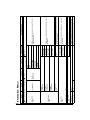
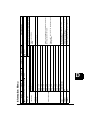
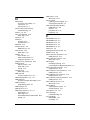
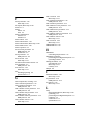
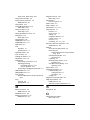
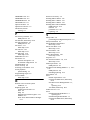
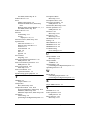
Menu Map
x.Spot®Xtreme User Manual
Level 3
Level 4
LAMP HOURS:
LAMP STRIKES:
FIXTURE HOURS
RESET:
FIXTURE HOURS:
FAN SPEED
MENU
TEMPERATURES
MENU
DMX VALUES
MENU
###:##
####
###:##
TEMPERATURES
RESET
MINIMUM
TEMPERATURE
MAXIMUM
TEMPERATURE
CURRENT
TEMPERATURE
BY PARAMETER
SLOT3
PARAMETERS
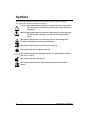
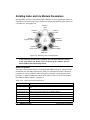
enters and exits Menu System and moves up levels
moves between items on the same level.
selects
Level 2
Information Menu
GOBO 2 FUNCTION
###
GOBO 2 POSITION
###
GOBO 2 ROTATE
FUNCTION ###
GOBO 2 ROTATE
COARSE ###
GOBO 2 ROTATE
FINE ###
IRIS
Level 5
NO
YES
TOPBOX 1: ###RPS
TOPBOX 2: ###RPS
HEAD 1: ###RPS
HEAD 2: ###RPS
OPTICS: ###RPS
YES
TOPBOX: ###C
HEAD 1: ###C
HEAD 2: ###C
TOPBOX: ###C
HEAD 1: ###C
HEAD 2: ###C
TOPBOX: ###C
HEAD 1: ###C
HEAD 2: ###C
NO
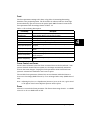
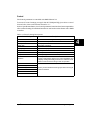
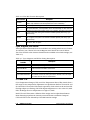
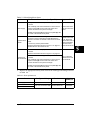
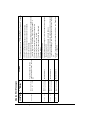
Description/Notes
Displays fixture operation time in hours:minutes
Default “safe” setting
Press Enter for 5 seconds to reset fixture hours to 0
Displays lamp operation time in hours:minutes
Displays current number of lamp strikes
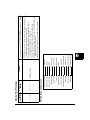
Indicates the speed of selected fan in revolutions
per second
Default “safe” setting
Press Enter for 5 seconds to reset all four sensors to
current temperature
Displays current temperature of selected sensor in
centigrade
Displays one parameter per screen with current
DMX value below it.
scrolls between values
selects
Option/Setting