1
DTV MENU OPERATION
ELECTRONIC PROGRAM GUIDE (EPG)
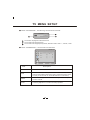
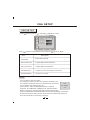
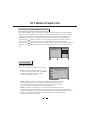
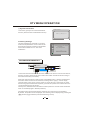
By pressing the Guide button, an Electronic Program Guide is displayed. The EPG supplies
information, such as program lists, start and end times of all available channels. In addition,
In addition, the detailed information about the program is often available in he EPG. (The
availability and the amount of program details will vary depending on the broadcaster.)
A press on the [
] buttons allows you to consult all event pages for the days, a press on
the [ ] button when last event of the list is highlighted displays the next event page.
A press on the [
] buttons allows you to change to previous/next day of event presentation.
The [CH+/-] or [
] button allows you to change to another channel in the current channel
list.
40 BBC Radio Wales
Tuesdays 30/01
15:25
Lazytown
15:50
The Likeaballs
16:20
Raven: The lsland
INFO
15:51
PAG +-
30/01/2007
SETUP
EXIT
SYSTEM INFO
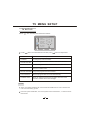
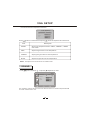
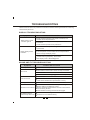
Conditional Access
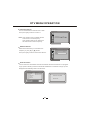
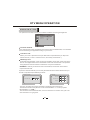
You can view the current status of CI module.
System info
Conditional Access
Select " Conditional Access" using the [
]
button and press the [OK] button, if Common
Interface is available, you can view the
conditional Access information.
System Information
Factory Settings
OK
SETUP
EXIT
Note1: CAM also called CA-module(CA=Conditional Access)or CI-module
(CI=Common Interface). Is used together with a Smart Card to decode
and view the content of sertain programm providers. Can be purchased
from your dealer or from the programm provider/operator.
Note2: Scrambled transmissions: the content or some parts of the content
transmitted in the terrestrial network may be scrambled. For this DTV is equipped with
PCMCIA CARD slots to connect the de-scrambling modules(Conditional Access Modules).
Module, smart-card and subscription may be obtained from your local dealer or
directly from the service provider.
28