1
•
2.1 Host side (PC):
In order for a user to setup a PCMCIA connection
between the host computer and the ComBlock, the
user must first create a Java or C/C++ application.
cis_p, iorw_p, memory_p NGC
components for integration within the
VHDL code
The Java application calls simple methods
described in the Java Application Programming
Interface (API) described further in this document.
C/C++ applications can call drivers functions
directly as described in the C/C++ Applications
described further in this document.
2.2 Peripheral side (ComBlock):
On the peripheral side, the PCMCIA connection is
implemented almost entirely within the FPGA as
illustrated below:
to/from PC
Xilinx FPGA
XC3S400
3 Windows Device Driver
Installation
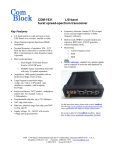
When connecting the COM-1300 PCMCIA
interface for the first time, the user is prompted for
new hardware installation. Follow the step-by-step
instructions shown below each screen shot.
PCMCIA
MicroController
The PCMCIA software package is available in the
ComBlock CD and can also be downloaded from
http://www.comblock.com/download/PCMCIA.zip
32MB
SDRAM
Buffer
40 MHz
Clock
USB
Flash2.0
Controller
Memory
(FPGA
configurations)
40-pin digital I/O
to/from
other
ComBlocks
Development Card Hardware Block Diagram
2.3 Supplied Components:
Click on Next.
The PCMCIA software package provides
software to help users and developers create
PCMCIA communication between the COM-13xx
ComBlock module and a host PC. The software
components include the following:
• Windows device driver for XP/2000 (.sys
and .inf files)
• Java API
• Java simple application code examples
• C/C++ simple application code examples
2