1
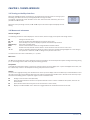
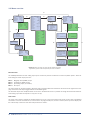
To control the timer function, press the Info key and the display shows the F-key options for the Timer menu. Choose one of the
F-keys to proceed with the following options or press Info again to return to the Main menu:
F1
F2
F3
F4
Proceed to the Setup menu.
Start the countdown (the time values are entered in the Timer menu).
Stop or pause the countdown.
Reset the entered time values or to turn off the alarm.
Setup menu
Calibrate
Valve dly
Contrast
Baudrate
Option
Displays the signal to be calibrated (either force or pH).
The time in seconds that the electronic valve (optional to the system) remains open when activated.
The actual contrast setting in the display.
Data transmission rate from the Myo-Interface to a PC via the RS-232.
The option line allows access to submenus using specific access codes.
Use the numeric keys to change the valve delay or display contrast settings and press Enter to confirm.
Press the Info key and the display shows the F-key options available for the Setup menu. Press Info again to return to the Setup
menu or one of the F-keys to proceed with one of these options.
F1
F4
Press F1 to proceed to the Main menu.
Calibrate Force (or pH)
Having chosen in the Setup menu which signal to calibrate, press F4 to initiate the calibration process. Press Esc to return to the
Setup menu if you do not wish to calibrate.
Force calibration
This procedure is described in detail in Chapter 4.
pH calibration (optional)
Having chosen to calibrate the pH settings, press F4 to initiate the calibration. In the Calibrate pH Offset display, the first line
shows the value of the offset buffer (first buffer solution), which is always 7.00. The second line shows the temperature of the
buffer solution. The temperature is an important parameter in the calibration formula and is obtained automatically by placing
the myograph temperature probe in the buffer solution. The third line shows the output from the pH probe as raw data from the
A-D converter.
Place the pH-meter electrode and temperature probe in the offset buffer solution and turn on stirring. When the relative pH
output in the bottom line is stable, press F3 to proceed.
The first line now displays the value of the slope buffer (second buffer solution), which is always 4.00. Place the pH and
temperature probes in the slope buffer solution and turn on stirring. When the relative pH output in the bottom line is stable,
press F3 to proceed.
The pH calibration is now finished. The parameters are stored in the internal memory of the Myo-Interface. Press F3 to return to
the Setup menu.
CHAPTER 3 17