1
Chapter 2- Installation
•
Power cable
•
Telecom cables
•
Patch panel for rack power or telecom interface connections as
determined by rack equipment planning.
•
Ventilation
•
Power supply.
Base Station Rack Installation Considerations
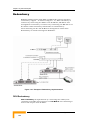
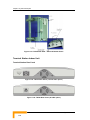
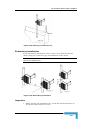
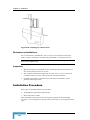
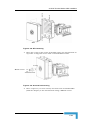
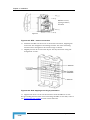
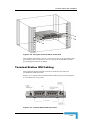
The BS-SA unit is designed for installation in an ETSI or 19" wide rack,
on a wall, or on the desktop.
Locate the BS-SA unit so it can be easily accessed and serviced.
Consider the following when planning the location of the equipment in
the rack:
•
In heterogeneous racks (rack collocation of the WALKair 3000 and
some other rack equipment), mount the heaviest units near the
bottom of the rack.
•
Plan the rack space according to the hardware requirements.
•
Allow for 1U between the BS-SA units in the rack.
Terminal Station Rack Installation Considerations
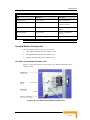
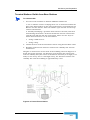
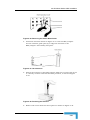
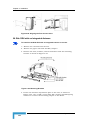
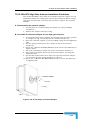
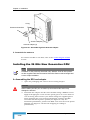
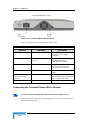
The TS IDU is designed for installation in an ETSI or 19" wide rack, on a
wall, or on the desktop. For the TS IDU, check that the following
requirements are met:
•
Locate the TS IDU so it can be easily accessed and serviced, where
the traffic connections are on the front panel and the power
connections and fuse – on the rear.
•
When AC powered, place the TS IDU within a distance of 3m from
the AC main outlet.
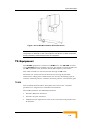
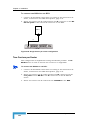
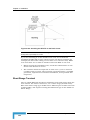
Rack Grounding of WALKair Equipment
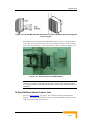
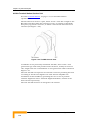
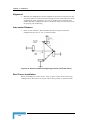
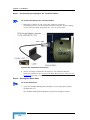
All WALKair equipment installed in racks (BS-SA, BS-BU, TS-BU and
IF-MUX) must be grounded to the rack:
•
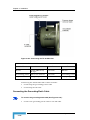
Each unit has a grounding pin located on its rear panel.
•
Connect one end of the grounding cable to the grounding pin, and
connect the opposite end of the cable to a central grounding point
on the rack.
•
The rack must then be connected to the ground of the room or
building.
•
After grounding, you must then verify or test the grounding in
accordance with local standards.
WALKair 3000 System Manual
2-20