1
WALKair 3000 Operator Benefits
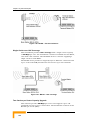
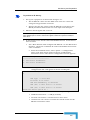
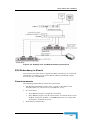
Redundancy is enabled or disabled through the WALKnet:
•
Automatic Redundancy Mode – if air link communication in the
entire sector is lost for more than 5 min, the ODUs are
automatically switched and the standby ODU activated. If upon
switching, air link communication is still not detected for 5 min, the
ODUs are switched again. The procedure is repeated (switching
every 5 min) until air link communication is detected.
•
Manual Mode – upon NMS request. The user can manually choose
the active RFU. The system will remain in manual mode, that is
ODUs will not be automatically switched, until the mode is changed
to Automatic.
WALKnet alarms - in the event that a redundant BS RFU is activated,
all Terminal Stations in its sector will automatically recover and service
will be re-established. An alarm is sent to the NMS, indicating that the
redundancy was activated.
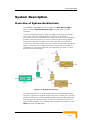
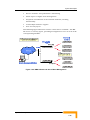
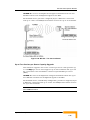
IDU Redundancy
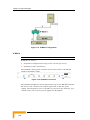
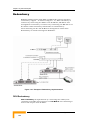
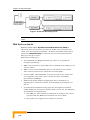
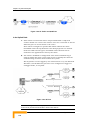
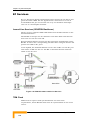
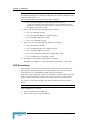
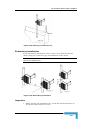
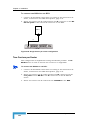
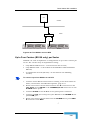
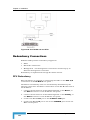
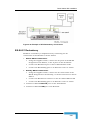
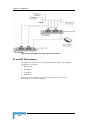
IDU redundancy is implemented by connecting the backbone and
management connections of two BS-SAs to an E1 Switch and
connecting the switch outputs to the backbone.
During normal operation, only the Master BS-SA is activated and its
interfaces continuously monitored by the IDU through the COM
connection. Redundancy is automatically triggered under any of the
following conditions:
•
Communication lost on Eth port for more than 30 sec
•
Airlinks down for all terminals for more than 2 minutes
•
Communication of redundant BS-SA with the Master (BS-SA) lost
for more than 5 sec
In the event that a redundant BS-SA is activated, an alarm is sent to
the WALKnet, indicating that IDU redundancy was activated.
NOTE: When IDU redundancy is triggered, the switchover to the standby unit is
performed. Once the failed BS-SA is replaced, redundancy must be reconfigured
through the NMS.
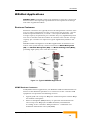
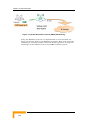
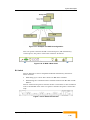
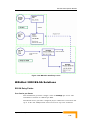
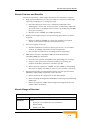
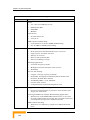
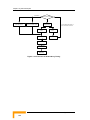
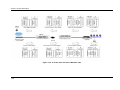
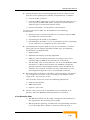
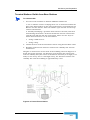
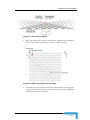
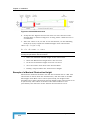
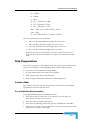
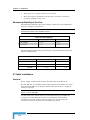
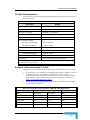
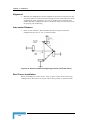
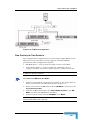
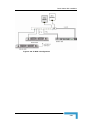
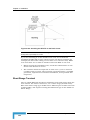
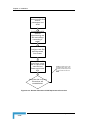
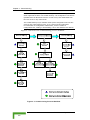
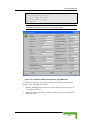
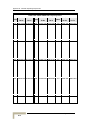
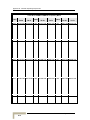
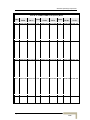
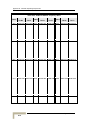
Flowchart of Redundancy Timing
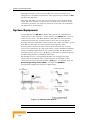
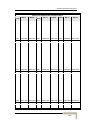
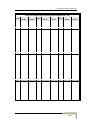
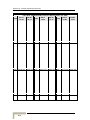
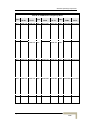
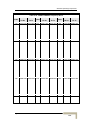
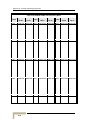
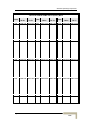
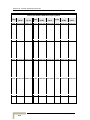
The following flowchart shows the timing and conditions for ODU and
IDU redundancy switchover.
System Description
1-35