1
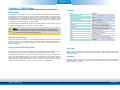
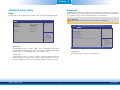
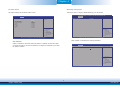
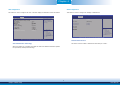
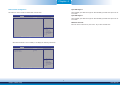
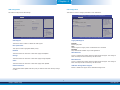
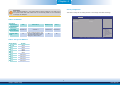
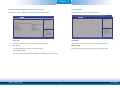
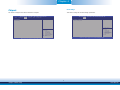
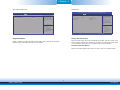
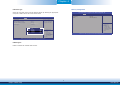
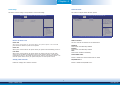
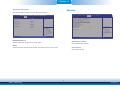
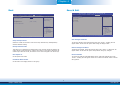
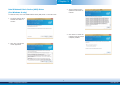
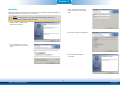
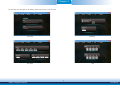
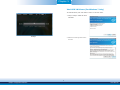
Chapter 4 South Bridge Azalia HD Audio This field is used to configure the parameters of the South Bridge. This section configues Azalia HD Audio options. Aptio Setup Utility - Copyright (C) 2013 American Megatrends, Inc. Chipset Azalia HD Audio Options Azalia HD Audio PCI Express Configuration Restore AC Power Loss Intel(R) I210 Controller Aptio Setup Utility - Copyright (C) 2013 American Megatrends, Inc. Chipset Audio Configuration Audio Controller Azalia HDMI Codec DP/HDMI Port C [Power Off] [Enabled] [Enabled] [Enabled] [Disabled] Select Screen Select Item Enter: Select +/-: Change Opt. F1: General Help F2: Previous Values F3: Optimized Defaults F4: Save & Reset ESC: Exit Control Detection of the Azalia device. Disabled = Azalia will be unconditionally disabled. Enabled = Azalia will be unconditionally enabled. Auto = Azalia will be enabled if present disabled otherwise. Select Screen Select Item Enter: Select +/-: Change Opt. F1: General Help F2: Previous Values F3: Optimized Defaults F4: Save & Reset ESC: Exit Version 2.16.1242. Copyright (C) 2013 American Megatrends, Inc. Version 2.16.1242. Copyright (C) 2013 American Megatrends, Inc. Restore AC Power Loss Audio Controller Power Off This item controls the detection of the Azalia device. press the Power button to power-on the system. Disabled Azalia will be unconditionally disabled. Enabled Azalia will be unconditionally enabled. Auto Azalia will be enabled automatically. When power returns after an AC power failure, the system’s power is off. You must Power On When power returns after an AC power failure, the system will automatically power-on. Last State When power returns after an AC power failure, the system will return to the state where you left off before power failure occurs. If the system’s power is off when AC power failure occurs, it will remain off when power returns. If the system’s power is on when AC power failure occurs, the system will power-on when power returns. Azalia HDMI Codec Enable or disable the internal HDMI codec for Azalia. Intel(R) I210 Controller DP/HDMI Port C Enable the Intel(R) I210 ethernet controller. Enable or disable the DP/HDMI Port C. 37 Chapter 4 BIOS Setup www.dfi.com