1
DAEnetIP1 User Manual
17 Jan 2014
11.4.
Control from command line
11.4.1. Windows
Net-snmp is command line tool for accessing SNMP based network devices under
windows console. By default it is not included in Windows OS. DAEnetIP1 can be
easily accessed by the net-snmp tool. This is very useful when the snmp commands
must be executed from batch file for example.
Bellow are the steps for installing net-snmp tool on windows OS.
• Download the last version net-snmp binary for windows from http://netsnmp.sourceforge.net/download. The file must look like net-snmp-X.X.X.XX.win32.exe
• Install the downloaded file. Leave the default options. The packet will be install
in c:\usr by default.
• Download the DAEnetIP1 MIB file from here file.
• Copy the mib file here c:\usr\share\snmp\mibs
• Add new line in the file c:\usr\etc\snmp\snmp.conf with the "mibs all" directive.
• Now you can test different commands for OID access, supported by this
module. Their names you may see in the DAEnetIP1 .mib file.
A simple test may be done to be sure if the tool is installed successfully:
run->cmd->
snmpget -v1 -c 000000000000 192.168.0.100 . 1.3.6.1.4.1.32111.1.3.4.1
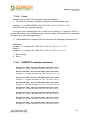
For creating batch files, you may use the following steps for example which turns
on the JP1 digital output 1 for 5 seconds and then turn it off:
• Open new file and save it as ON.bat
• Enter the following code:
snmpset -v1 -c private 192.168.0.100 .1.3.6.1.4.1.32111.1.1.1.1 i 0
PING 1.1.1.1 -n 1 -w 5000
snmpset -v1 -c private 192.168.0.100 .1.3.6.1.4.1.32111.1.1.1.1 i 1
• Save the file
• Run it.
-27-