1
14
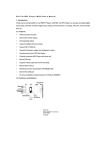
A guide in adding files to the
OM206 Media Player.
The OM206 Media Player
will be displayed within " My
Computer " . It will appear
as a "Om206 " . To open the
OM206 folder, double click
on the removable disc icon.
15
Drag and drop the files
you wish to store on the
OM206 Media Player
into this folder. You can
also copy and paste
these files using the
keyboard shortcut, Ctrl
C (copy) Ctrl V (paste)