1
B
Troubleshooting Procedures
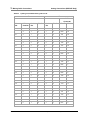
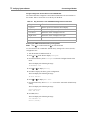
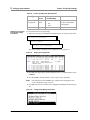
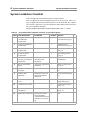
Table 33.
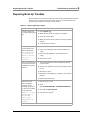
Repairing Boot-Up Troubles
Repairing Boot-Up Troubles
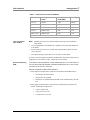
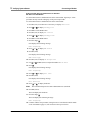
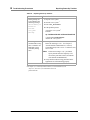
Indication
A file system check
shows a file system
with 0 files, 0 blocks,
or 0 free.
Corrective Action
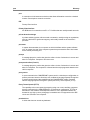
1 Verify that the disk partition is adequate.5
2 Remove unnecessary data files.
3 If the problem persists, restore the system software
from the backup tape.6
If no backup is available, reload the software. 7
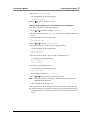
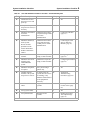
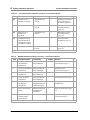
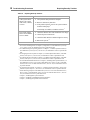
The system "hangs"
after a reboot and the
screen is blank.
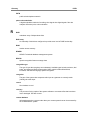
1 Check the diskette drive and confirm that it is empty.
2 Check all power connections.
3 Check the hard disk drive indicator light for activity.
4 Reboot the system. 2
2 of 2
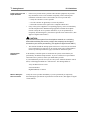
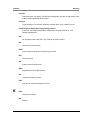
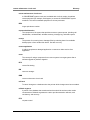
1 See "Circuit Card Diagnostics" in Chapter 2, "Diagnostics" in CONVERSANT System Ref-
erence, 585-313-215, for information on how to perform this task.
"Administering the Operating System" in Chapter 3, "Common System Procedures,"
CONVERSANT System Reference, 585-313-215, for information on how to perform this
task.
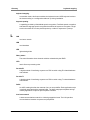
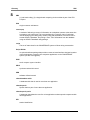
3 See "Stopping the Voice System" in Chapter 3, "Common System Procedures," CONVERSANT System Reference, 585-313-215, for information on how to perform this task.
4 See "Starting the Voice System" in Chapter 3, "Common System Procedures," CONVERSANT System Reference, 585-313-215, for information on how to perform this task.
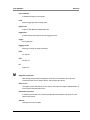
5 See "Recommended Disk Partitions" in Chapter 5, "Installing Base System Software," in
CONVERSANT System Version 8.0 UCS 1000 Maintenance, 585-313-150, or CONVERSANT System Version 8.0 MAP/40P Maintenance, 585-313-156, for information on how
to perform this task.
6 See “Restoring the System” in Chapter 3, "Common System Procedures," in the CONVERSANT System Reference, 585-313-215, for information on how to perform this task.
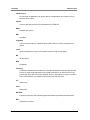
7 See the following chapters in CONVERSANT System Version 8.0 UCS 1000 Maintenance,
585-313-150, or CONVERSANT System Version 8.0 MAP/40P Maintenance, 585-313156, for information on how to perform this task:
Chapter 5, “Installing Base System Software”
Chapter 6, “Installing CONVERSANT System Software”
Chapter 7, “Installing the Optional Feature Software”
2 See
92 Issue 3 December 2001
CONVERSANT System Version 8.0 New System Installation 585-313-149