1
Metamodeling Environment
The metamodeling environment has been extended with a new decorator component
in version 1.2 or later. It displays UML classes including their stereotypes and
attributes. Proxies also show this information It resizes UML classes accordingly.
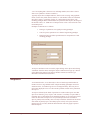
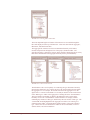
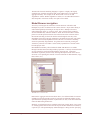
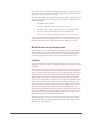
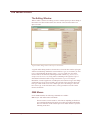
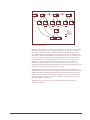
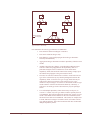
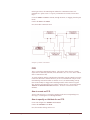
Note that the figures below show the old appearance of metamodels.
Version 1.2 adds a new MCL syntax checker add-on to the metamodeling
environment. Every time a constraint expression attribute is changed, this add-on is
activated. Note that the target paradigm information is not available to this tool,
therefore, it cannot check arguments and parameters, such as kindname. These can
only be checked at constraint evaluation time in your target environment.
Step by step guide to basic metamodeling
The following sections describe the concepts that are used to model the output
Paradigm.
Paradigm
The Paradigm is represented as the model that contains the UML class diagram. The
name of the Paradigm model is the name of the paradigm produced by the
interpreter. The attributes of the Paradigm are Author Information and Version
Information.
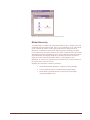
Folder
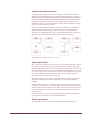
A Folder is represented as a UML class of stereotype «folder». Folders may own
other Folders, FCO’s, and Constraints. Once a Folder contains another container, it
by default contains all FCO’s, Folders, and Constraints that are in that container.
Folders are visualized only in the model browser window of GME 2000, and
therefore do not use aspects. A Folder has the Displayed Name, and In Root
Folder attributes.
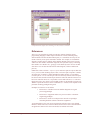
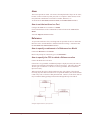
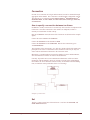
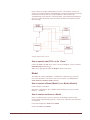
How to specify containment for a Folder
Folder containment applies to Folders and Models that may be contained in a Folder.
Generic Modeling Environment User's Manual
Metamodeling Environment • 38