1
Table of Contents
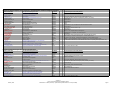
OVERVIEW .......................................................................................................... 1
Introduction ..................................................................................................................... 1
What is CaST? ..............................................................................................................................1
What can CaST do?......................................................................................................................1
Where does CaST come from? ....................................................................................................1
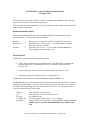
User's Guide Layout........................................................................................................ 1
General Layout..............................................................................................................................1
Technical Specifications ...............................................................................................................2
Technical Assistance ....................................................................................................................2
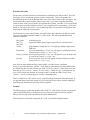
System Overview ............................................................................................................ 2
Changes for Version 5.0.50 ..........................................................................................................2
Network Capable...........................................................................................................................3
User-defined Fields .......................................................................................................................4
Query Features .............................................................................................................................4
MDE Export Feature .....................................................................................................................4
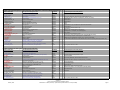
INSTALLATION.................................................................................................... 4
Hardware/Software Requirements................................................................................... 4
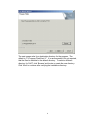
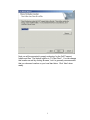
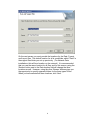
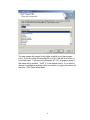
Running the Installation................................................................................................... 5
Installation Types Supported .........................................................................................12
Workstation Only -- Standalone ..................................................................................................12
Run from Network -- Workstation Program on Server ................................................................12
Network Data -- Workstation with Networked Data ....................................................................13
Administrator Responsibilities ....................................................................................... 13
New Programs & New CaST Installations ..................................................................................13
Administrative Setup ...................................................................................................................14
Upgrading the Databases for CaST 5.0.50.................................................................................16
STARTING CAST............................................................................................... 18
User Name and Password............................................................................................. 18
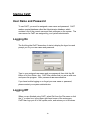
Logging On ................................................................................................................... 18
Logging Off ................................................................................................................... 18
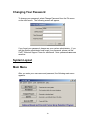
Changing Your Password.............................................................................................. 19
SYSTEM LAYOUT ............................................................................................. 19
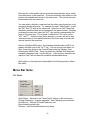
Main Menu .................................................................................................................... 19
Menu Bar Items............................................................................................................. 20
File Menu ....................................................................................................................................20
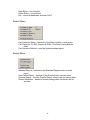
Search Menu...............................................................................................................................21
Report Menu ...............................................................................................................................21
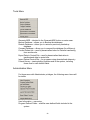
Tools Menu .................................................................................................................................22
Administration Menu ...................................................................................................................22
Help Menu...................................................................................................................................23
DATA ENTRY..................................................................................................... 23
Screening Cycles Revisited........................................................................................... 23
Cycles and Procedures ................................................................................................. 23
Required Fields ............................................................................................................. 24
Short Cuts .....................................................................................................................24