1
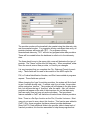
procedure tables. Cycle information includes location, referral information,
and final diagnosis and treatment results. Most cycles begin with a
screening procedure, either a Mammogram, a CBE, a Pap test, or a pelvic
exam. If further diagnostic tests are necessary, additional procedures will
be entered for that cycle.
Required Fields
Due to the various ways in which Programs enter and perform quality
control on their data, there are few edit checks performed during data
entry. This includes required fields. In order to add a new patient, the
Social Security number or Last Name must be entered. Besides this, and
some basic edit checking, the majority of the edit checks will be performed
using the MDE Edit Check, the Standard Audit queries, or the Overdue
Report.
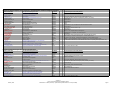
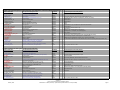
There are, though, required fields for the MDEs. Fields that are exported
to the MDEs are shaded in pink, with red field labels. The MDE Edit
Check will also help you determine those fields that were not completed
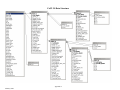
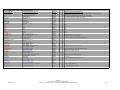
properly. Appendix II also provides the database and data entry fields that
are used in the MDE file.
Short Cuts
Throughout this manual you will find helpful ‘short cut’ keys that will help
you navigate the system. Short cut keys are provided to eliminate the
need to use the mouse. Although the following can be found in other
sections in the manual, they are provided here for quick reference.
·
To select a button: press the ‘ALT’ key and corresponding
underlined character. For example, on the main menu, to select
"New Patient", press the ‘ALT’ key and "N" and the same time.
·
To Move Forward: press the ENTER or TAB key.
·
To Move Backwards: press the SHIFT and TAB keys at the same
time.
·
To display the values in a drop down field, or list box, press F4.
You can then scroll down to the correct value using the up/down
keys, or select the value by typing the first few characters (typeahead feature). Note: you can use the type-ahead feature without
24