1
The following is a brief summary of each chapter:
Preface. The preface introduces SmartGraphics and explains the purpose of the manual. It also
describes the standard conventions that will be used and a brief overview of each chapter.
Chapter 1 - General Description. This chapter highlights SmartGraphics features, modes of operation and methods of printing. A brief introduction to printer software is also provided for the novice
user.
Chapter 2 - Normal Mode Commands. This chapter presents the commands that are available
under the Normal Mode of operation. Commands are listed alphabetically according to function for
easy reference.
Chapter 3 - Forms Generation. This chapter includes the commands used to create forms and
logos, as well as forms printing. Methods of incrementing and decrementing data will also be explained. Commands are grouped according to mode and function.
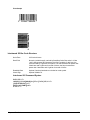
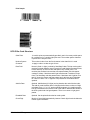
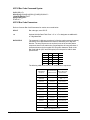
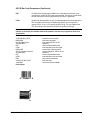
Chapter 4 - Bar Codes. This chapter describes the various bar codes available under SmartGraphics.
Specific instructions for generating those bar codes are supported by illustrative examples.
Chapter 5 - Character Sets and Fonts. This chapter explains how to use command parameters to
select the desired size or font for text printing. Instructions are also provided for creating user-defined
character sets.
Appendix A - Command Summary. This appendix lists all the commands available under the
SmartGraphics IGP emulation.
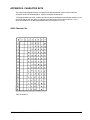
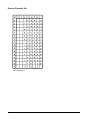
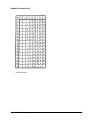
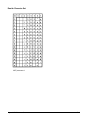
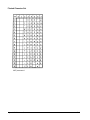
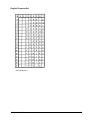
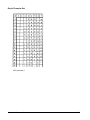
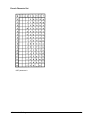
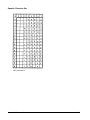
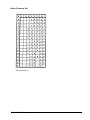
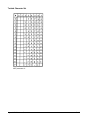
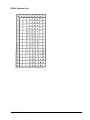
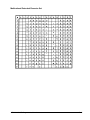
Appendix B - Character Sets. This appendix provides samples of multinational character sets.
Appendix C - Error Codes. This appendix defines the coded error messages that can result from
improper SmartGraphics command usage.
Appendix D - Description of Options Settings. This appendix describes the various options conditions used to set or change the SmartGraphics default settings.
Conventions Used in This Manual
Throughout this manual, the following visual cues and standard text formats will assist you in identifying various elements:
Bold
-
Used to set off headings and important information.
Italics
-
Used for manual names and command titles.
Bullets
-
Bullets (!) itemize information in each section.
ALL CAPS
-
ALL CAPS call your attention to important words.
Getting Started
To use the SmartGraphics IGP Printronix emulation, you must enter the PRG:SmartGraphics menu
and select the SGL:IGP Emul option. For detailed instructions on selecting the SmartGraphics option,
see the User’s Manual for the model printer in use.
Preface
ii